

Growth and Balance indicator
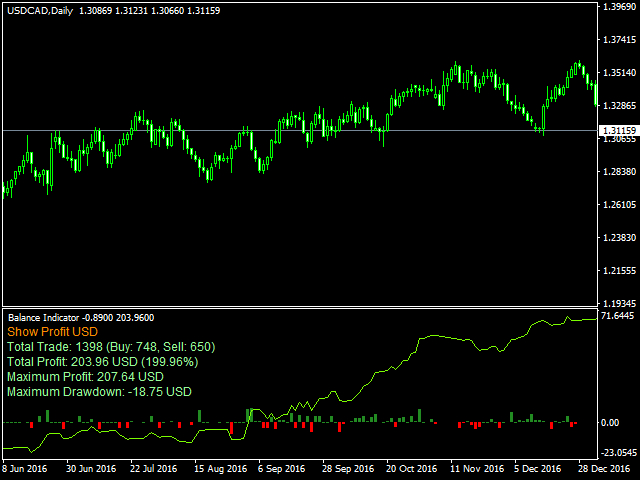
Growth and Balance indicator designed to visually display the results of user's trading directly in the MT4 terminal without using external services and programs.
After a long analysis, I came to conclusion that online resources for calculating the drawdown of trading accounts cannot reliably display the Equity that really was on traiding account in period before the system connect to these resources, therefore, the data for calculating income / drawdown isn't displayed correctly. Growth and Balance indicator analyzes charts of your broker and your, looks at the Close, High and Low prices of all bars for trading pairs and displays equity with the minimum error.
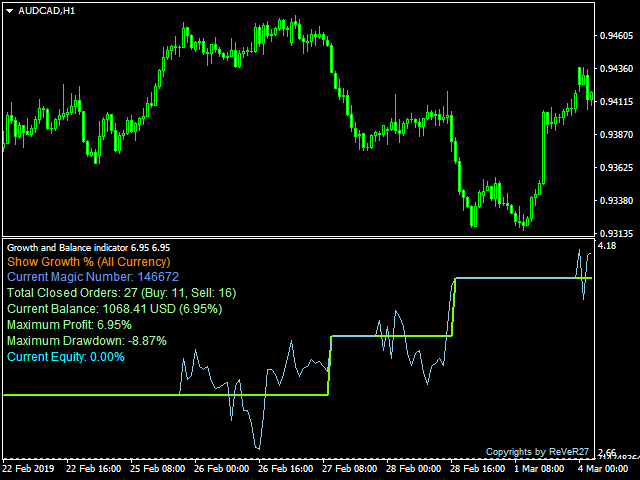
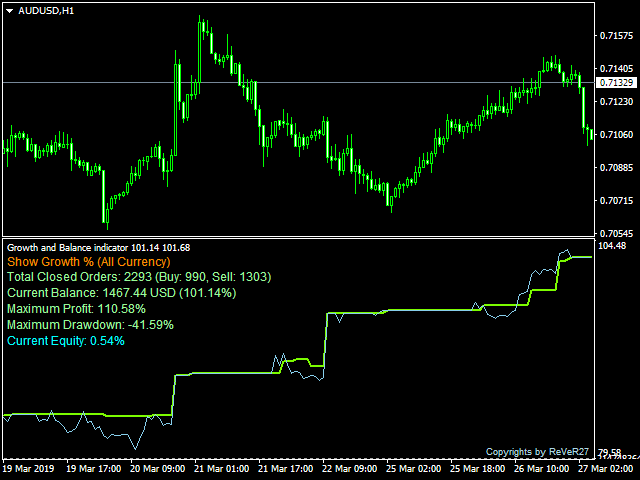
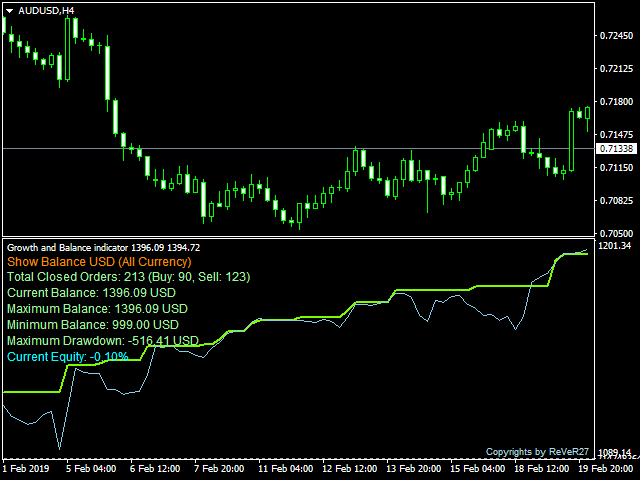
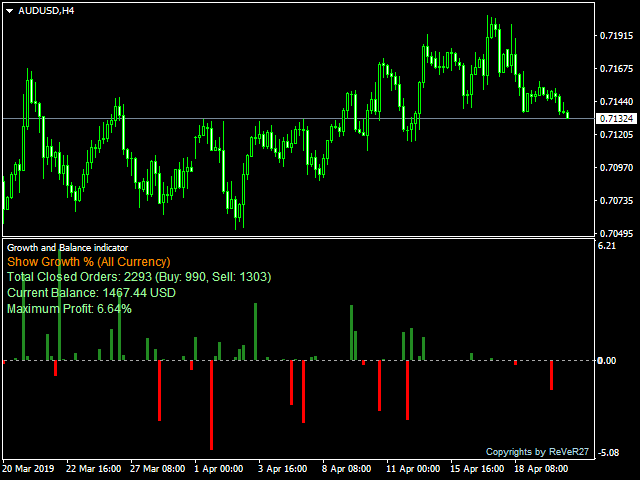
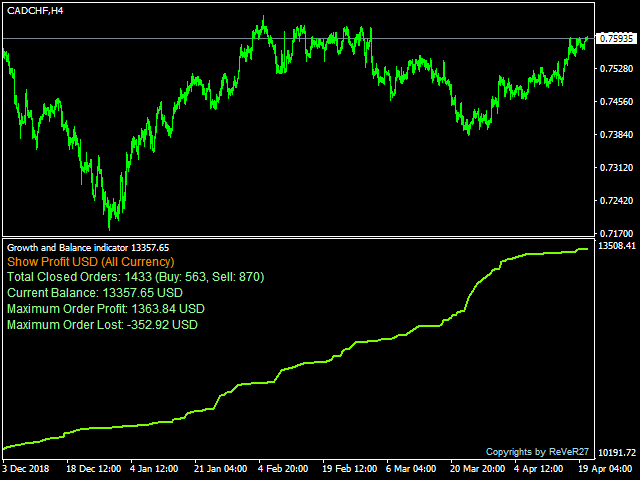
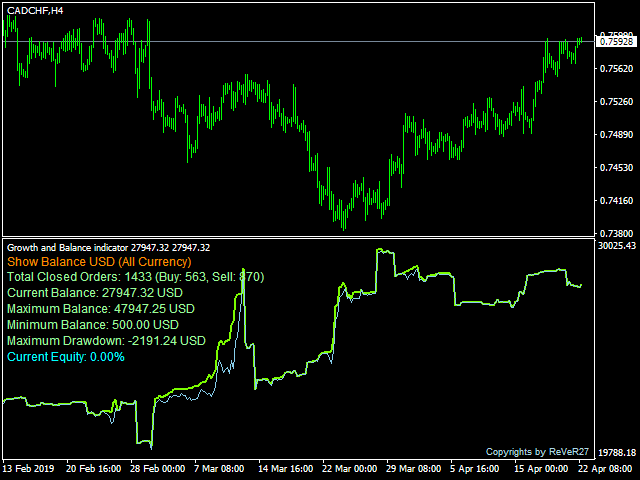
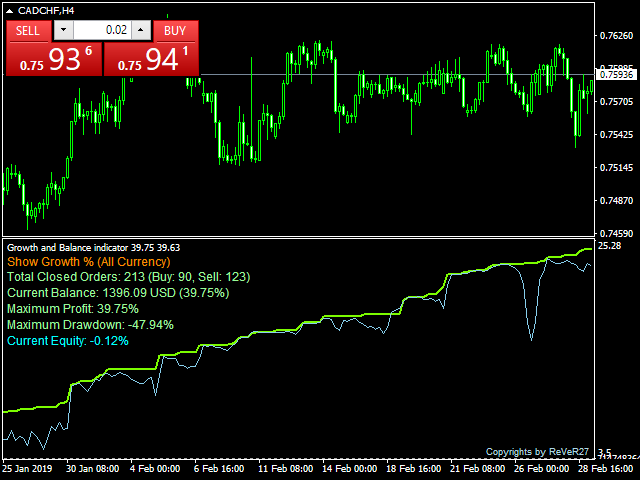
This indicator is convenient for analyzing your trading system, searching for its flaws and strong points. The program allows you to view trading results for all orders in history, as well as for specific symbols, buy or sell direction of closed orders, as well as the individual Magic Number. The indicator displays information as a line on chart and a histogram on any timeframe, shows balance and equity of the trading account. It has three modes: Percentage of income, Account balance or Profit orders.
Settings
Choose Indicator Type
- Indicator Type - 3 types information display modes:
- GROWTH % - trading results shown as percentage % of balance.
- BALANCE - showing balance of trading results and deposit/withdrawal operations in trading currency.
- PROFIT - graph of profit/loss per bar in trading currency.
- Min Period Count Equity - timeframe where Equity will be calculated. The smaller period, the more accurate the calculation data will be, but the number of loaded history bars for each pair should be greater. (If you have more than 2 years trading history, recommended to set the ТF Н1/Н4)
General settings/filters
- Show Currency - ALL or Current Currency (the currency of the current chart)
- Show Order Type - direction of orders: ALL, only Buy, only Sell.
- Magic Number Filter - if parameter equal "ALL Magic" or an empty value, all orders will be analyzed. You can set particular magic numbers separated by a comma (,) for a more detailed analysis.
Display Indicator settings
- Show Main Line - display the main line of trading results for different chart types.
- Show Equity Line - display Equity line on chart. Don't work at PROFIT mode.
- Show Histogram - display histograms of account profit/drawdown. For more detailed display of the histogram, it is recommended to use it without Show Main Line and Show Equity Line parameters.
- Show Text Label - show information text in the left corner of the indicator window.
alert settings
- alert and E-mail when DD% reached - send e-mail and display alert on chart when the drawdown will be reached. 0 - off.
 nload="if(window.viewGallery_GalleryManager) viewGallery_GalleryManager.ImageonLoad(this,7);" />
状态:离线 发送信件 在线交谈
姓名:顺水的鱼(先生)
职位:投机客
电话:18391752892
手机:18391752892
地区:默认地区
地址:西安市高新区软件园
邮件:3313198376@qq.com
QQ:3313198376
微信:18391752892
阿里旺旺:顺水的鱼waterfish
Skype:3313198376@qq.com