

AMD Exclusive Two Separate Window
With this AMD Exclusive Two Separate Window indicator, you will be able to spot, predict, trade and profit from strong trends of markets
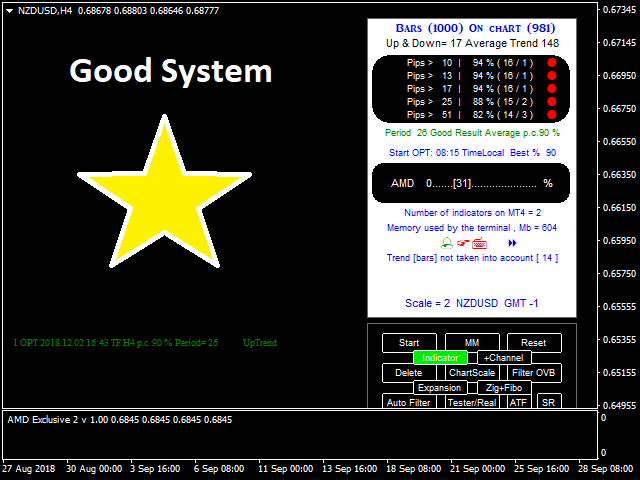
This is not a simple indicator, it is a ready to use trade system.
What we have?
- Automatic optimization
- Overbalance (manual, semi-automatic and automatic)
- Fibonacci
- Pivot
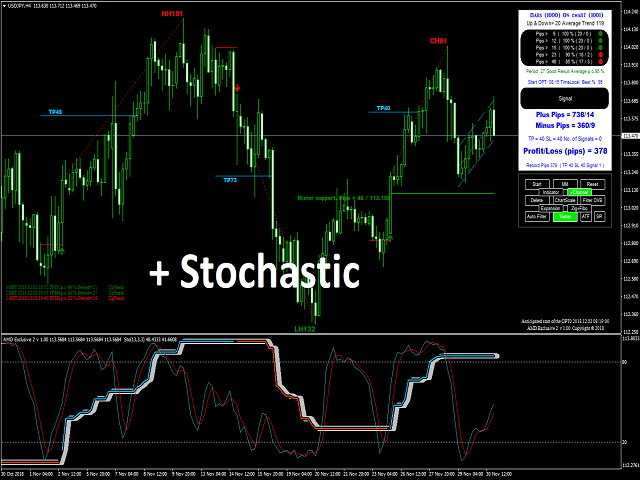
- Linear Regression Channel
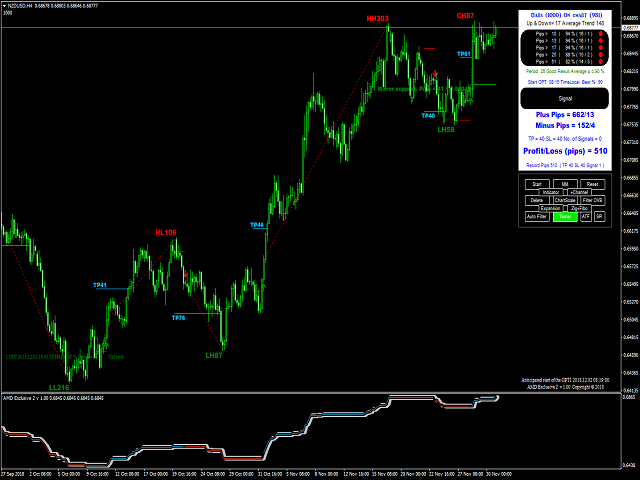
- Mini Tester
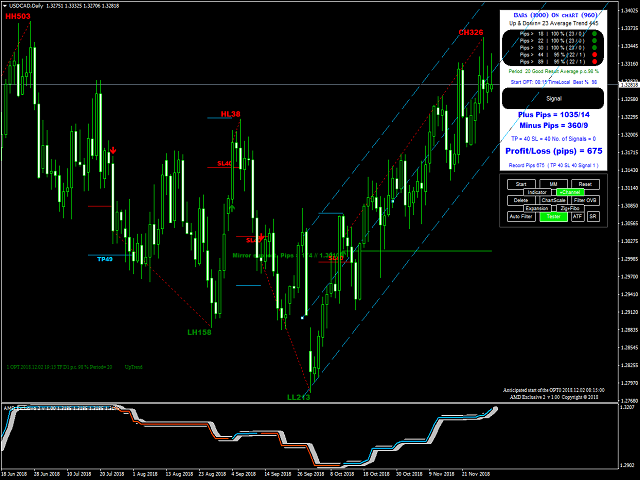
Button On Chart
- Button [Start] - Start optimization
- Button [MM] - Money management
- Button [Reset] - Reset
- Button [Delete] - Delete indicator
- Button [ChartScale] - Enable/disable the fixed scale mode
- Button [Filter OVB] - Filtering of trend based on the overbalance (manual and semi-automatic)
- Button [Auto Filter] - Filtering of trend based on the overbalance (automatic)
- Button [Tester/Real] - Back testing or current signal
- Button [Indicator] - indicator on chart
- Button [+Channel] - plus channel on chart
- Button [Expansion] - Fibonacci Expansion
- Button [Zig+Fibo] - ZigZag and Fibonacci
- Button [ATF] - additional timeframe
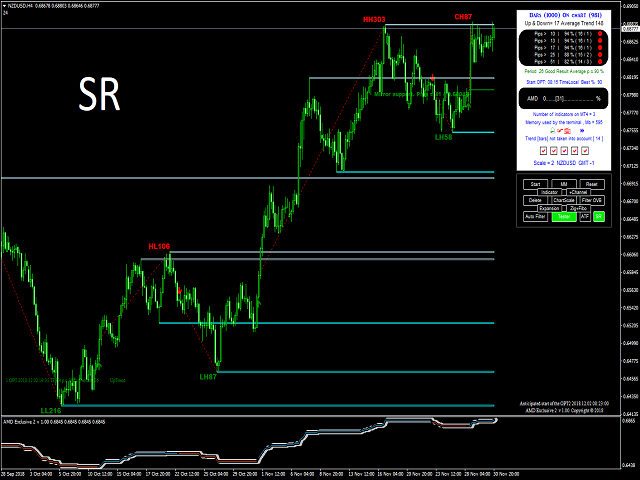
- Button [SR] - support and resistance
Input Parameters
- ID - chart ID.
- History depth according to:
- Bars - Maximum number of bars used
- Date - Maximum number of bars used by date (if Bars = 0)
- AMD Trend Period - Manual optimization (3,4,5,..28)
- Automatic Optimization - true/false
- Start Optimization - The time local of a computer, where the client terminal is running
- alert - Enables sound alerts
- Push Notifications - Enables smart phone alerts
- Command Manager - You can also perform configurations using CSV files to change the parameter values. View the command repository, which contains all commands available on the system
- Email - Enables email alerts
- Screenshot - Enables screenshot for each signal
- Report - This report shows the optimization results on chart
- Shift - parameter for an additional chart
- Bars - parameter for an additional chart
- Body color of a bull candlestick - parameter for an additional chart
- Body color of a bear candlestick - parameter for an additional chart
- SR color of level lines (high) - color for support and resistance
- SR color of level lines (low) - color for support and resistance
- Fibo color of level lines - Fibonacci color of level lines
- Rectangle - display in the foreground (false) or background (true)
- Depth for Zig Zag - 14 bars by default
- Fibo values of lines - 13 levels
- TP(candle closing) - true (TP = candle closing), false (TP=Take Profit)
- SL(candle closing) - true (SL = candle closing), false (SL=Take Profit)
- Take Profit - Take profit on chart
- Stop Loss - Stop loss on chart
- Period - Short Time/Long Time
- Results - disable/enable
Automatic Optimization
- Start automatic optimization:
- Automatic optimization if true
- Start optimization
- Change time frame
- Button [Start] on chart
- Automatic optimization doesn't work in strategy tester
Command Manager
Transferring files between your smartphone and indicator and vice versa. How does this work? Send a command from your smartphone and get screenshots of the chart. Required application that synchronizes and backs up files such as photos, documents, and e-mails between desktops, laptops, servers, and external drives. More details? Please write to me.
Command repository:
- 1 = WindowScreenShot if close of the bar (one-off event)
- 2 = WindowScreenShot if close of the bar (continuous event)
- 3 = Start optimization
- 4 = WindowScreenShot (one-off event)
- 5 = Timeframe M15 (15)
- 6 = Timeframe M30 (30)
- 7 = Timeframe H1 (60)
- 8 = Timeframe H4 (240)
- 9 = Timeframe D1 (1440)
- 0 = Disable
File will be created in the folder MQL4Files.
联系方式
公司:顺水的鱼外汇EA
状态:离线 发送信件 在线交谈
姓名:顺水的鱼(先生)
职位:投机客
电话:18391752892
手机:18391752892
地区:默认地区
地址:西安市高新区软件园
邮件:3313198376@qq.com
QQ:3313198376
微信:18391752892
阿里旺旺:顺水的鱼waterfish
Skype:3313198376@qq.com
状态:离线 发送信件 在线交谈
姓名:顺水的鱼(先生)
职位:投机客
电话:18391752892
手机:18391752892
地区:默认地区
地址:西安市高新区软件园
邮件:3313198376@qq.com
QQ:3313198376
微信:18391752892
阿里旺旺:顺水的鱼waterfish
Skype:3313198376@qq.com