


MultiCurrencyX
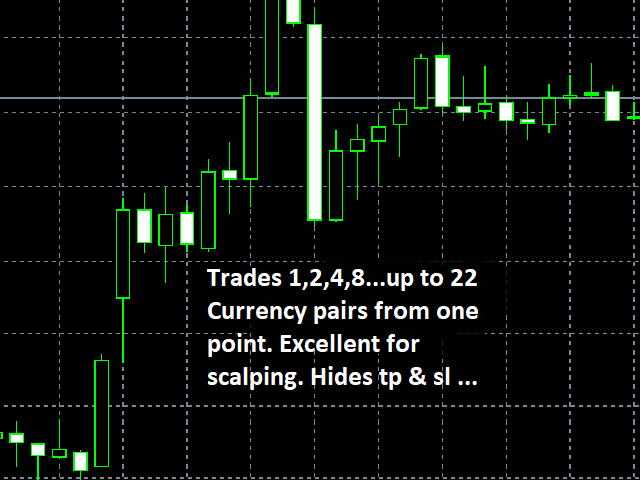
MultiCurrencyX is an MT4 program which allows you to trade anywhere from 1... up to 22 currency pairs of your choice, from any one chart. It uses MACD, RSI, CCI, STOCHASTICS and proprietary indicators to identify potential trades. It takes the following parameters:
1. "donottrade" - generally set to false, if set to true, the program doesn't do anything. you may or may not come across situations when you will have to use it instead of removing the program.
2/3. "donottradeath1" , "donottradeath2" - h1 and h2 are the server hours during which the program will not trade. for example, if h1=15 , no trades will be opened during the period 15:00:00 to 15:59:59 , and again the same for h2.
4. "sprmax" - is the maximum acceptable spread in standard 4th or 2nd decimal pips to place a trade.
5. "lotn" - is the lot size of a trade you specify.
6/7. "tpr" , "slr" - these are your take profit and stop loss in standard pips. they are hidden from your broker, they do not show up on your open trades, they are internal to the program, consequently, although brokers don't allow a take profit or a stop loss below their 'stoplevel', with this program , although meant for general trading, you can use it to 'scalp' even 1 or 2 pips, if you like (and they talk about scalping ea's ?! - they don't compare, try it yourself on a demo). make sure your "slr" is greater than "sprmax".
8. "donotchangelotsize" - if the program detects that your specified lot size ("lotn") is too risky for your available equity and stoplevel and leverage (a 'good' leverage is preferable), it will change the lot size to a less risky level if this parameter is set to 'false', otherwise it will stick to your specified lot size ("lotn").
9/10. "ylong", "yshort" - generally both 'true', set ylong to false if you want to sell only, set yshort to false if you want to buy only. set both to false if the program has already opened a number of trades, and you don't want any more, but you want the program to continue monitoring your take profit and stop loss.
11. "numofcurrpairstotrade" - this is the number of currency pairs you want to trade (from the next parameters). if you want to trade only 1 or 2 or x pairs, the program will take the first in line.
12...33. - "currpair1"...to "currpair22" - these are the currency pairs that the program trades, but they are not set in stone, you can change them or change their order. if your broker's symbols have a leading or trailing identifier, correct them accordingly.
good luck trading. (you may not need it).
ta itemprop="image" content="https://c.mql5.com/31/318/multicurrencyx-screen-9306.png" />
1. "donottrade" - generally set to false, if set to true, the program doesn't do anything. you may or may not come across situations when you will have to use it instead of removing the program.
2/3. "donottradeath1" , "donottradeath2" - h1 and h2 are the server hours during which the program will not trade. for example, if h1=15 , no trades will be opened during the period 15:00:00 to 15:59:59 , and again the same for h2.
4. "sprmax" - is the maximum acceptable spread in standard 4th or 2nd decimal pips to place a trade.
5. "lotn" - is the lot size of a trade you specify.
6/7. "tpr" , "slr" - these are your take profit and stop loss in standard pips. they are hidden from your broker, they do not show up on your open trades, they are internal to the program, consequently, although brokers don't allow a take profit or a stop loss below their 'stoplevel', with this program , although meant for general trading, you can use it to 'scalp' even 1 or 2 pips, if you like (and they talk about scalping ea's ?! - they don't compare, try it yourself on a demo). make sure your "slr" is greater than "sprmax".
8. "donotchangelotsize" - if the program detects that your specified lot size ("lotn") is too risky for your available equity and stoplevel and leverage (a 'good' leverage is preferable), it will change the lot size to a less risky level if this parameter is set to 'false', otherwise it will stick to your specified lot size ("lotn").
9/10. "ylong", "yshort" - generally both 'true', set ylong to false if you want to sell only, set yshort to false if you want to buy only. set both to false if the program has already opened a number of trades, and you don't want any more, but you want the program to continue monitoring your take profit and stop loss.
11. "numofcurrpairstotrade" - this is the number of currency pairs you want to trade (from the next parameters). if you want to trade only 1 or 2 or x pairs, the program will take the first in line.
12...33. - "currpair1"...to "currpair22" - these are the currency pairs that the program trades, but they are not set in stone, you can change them or change their order. if your broker's symbols have a leading or trailing identifier, correct them accordingly.
good luck trading. (you may not need it).
联系方式
公司:顺水的鱼外汇EA
状态:离线 发送信件 在线交谈
姓名:顺水的鱼(先生)
职位:投机客
电话:18391752892
手机:18391752892
地区:默认地区
地址:西安市高新区软件园
邮件:3313198376@qq.com
QQ:3313198376
微信:18391752892
阿里旺旺:顺水的鱼waterfish
Skype:3313198376@qq.com
状态:离线 发送信件 在线交谈
姓名:顺水的鱼(先生)
职位:投机客
电话:18391752892
手机:18391752892
地区:默认地区
地址:西安市高新区软件园
邮件:3313198376@qq.com
QQ:3313198376
微信:18391752892
阿里旺旺:顺水的鱼waterfish
Skype:3313198376@qq.com