


Telegram
MT4 to Telegram allows you to broadcast your trades to a Telegram Channel or Group.
- Can be used to build, support and expand your own network of traders.
- A Group can have 200.000 members, A Channel can have an unlimited number of subscribers.
- The messages are send to Telegram in HTML5 format, which is the preferred language.
- Fully customizable Message Headers, and full support for all Unicode Emoji.
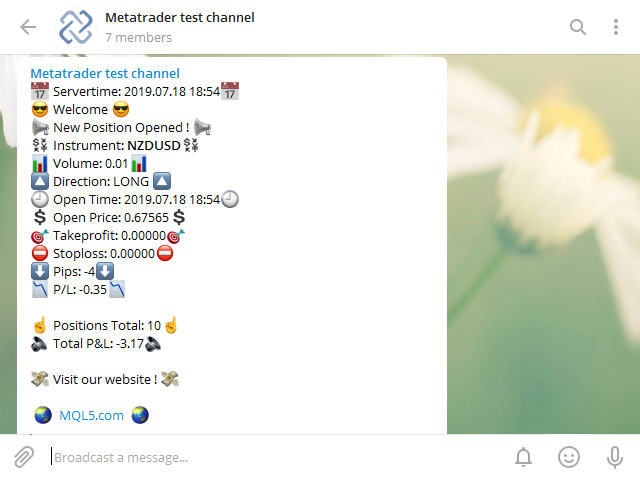
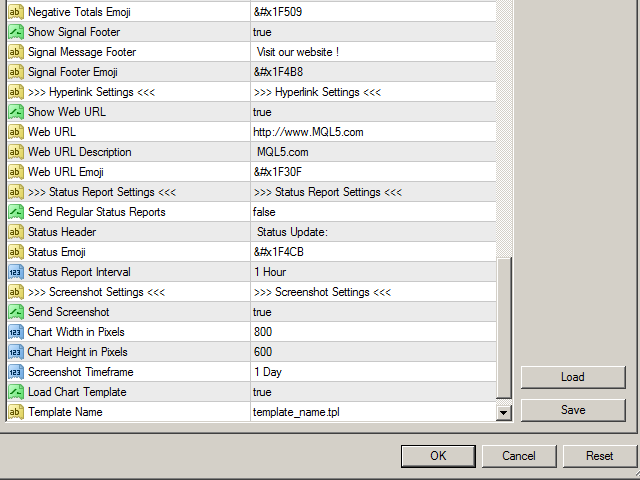
- Ability to broadcast newly opened trades, trades that were closed, and sending out status reports on set intervals.
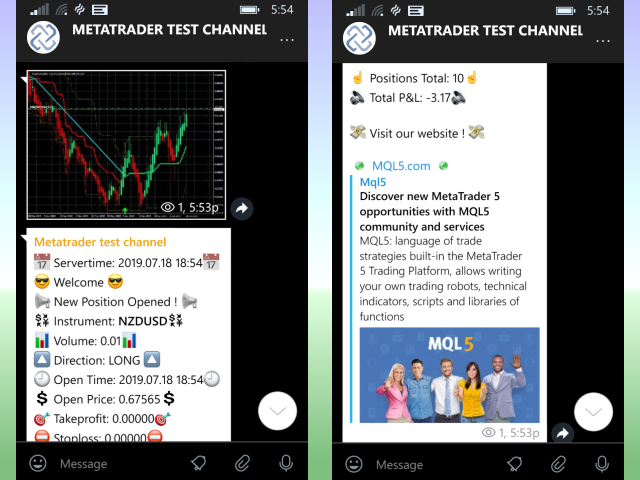
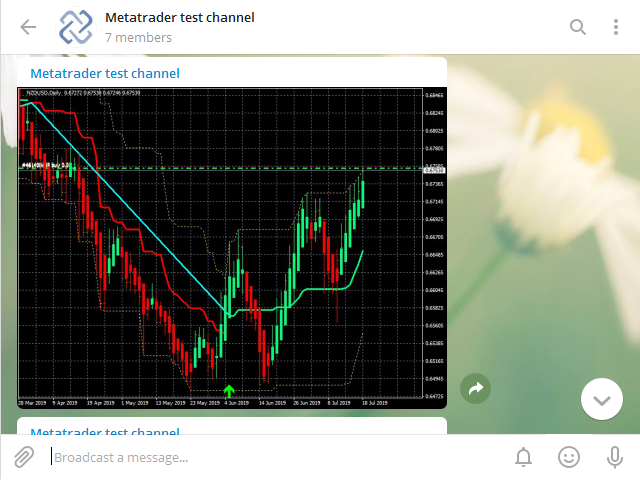
- This EA also has the ability to send a screenshot along with the new signal.
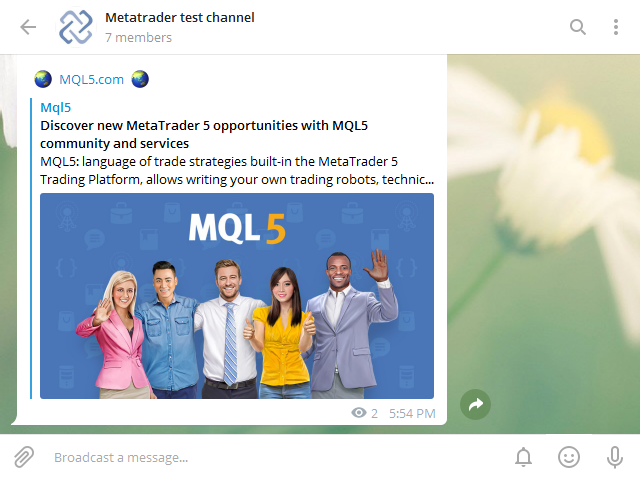
- Additionally a Company Website URL can be added to sign the Signal Messages.
- This EA does NOT require the import of any DLL's so it can be run on a VPS without any problems.
It is very easy to use and set up when you follow these few steps:
On Telegram:
- You need a Bot, and a Channel or a Group.
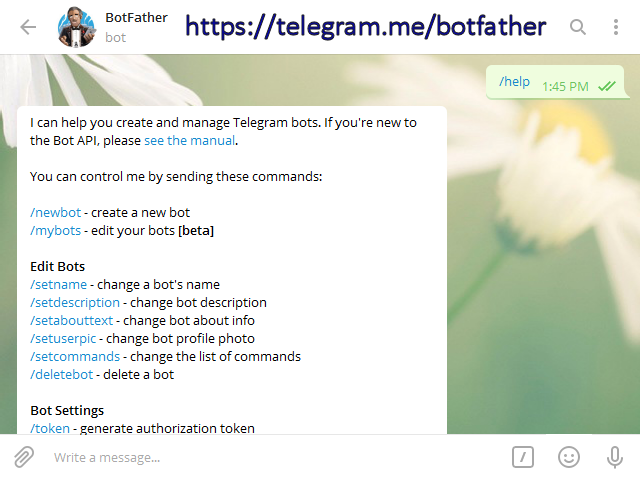
- Go to https://telegram.me/botfather to make a new Bot, if you do not know how then send a /help command to the Botfather and it will tell you what to do.
- After making a new Bot you will now have a Bot Token, this bot token is needed in the EA's input parameters.(read below)
- Now you will also need either a Telegram Channel or a Telegram Group, if you do not have it you can make a new one in Telegram, using the desktop version is the preferred method.
- Now you have your Bot Name, a Bot Token, and a Channel or Group Name.
- Additionally you can make a Channel of Group URL, for this go to Manage Channel/Group on the Telegram application.
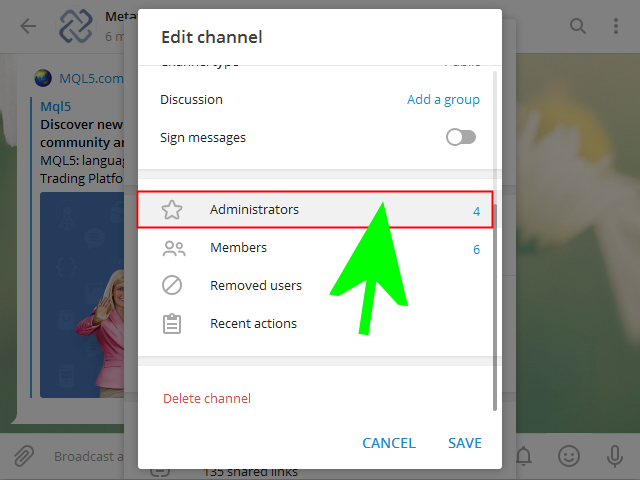
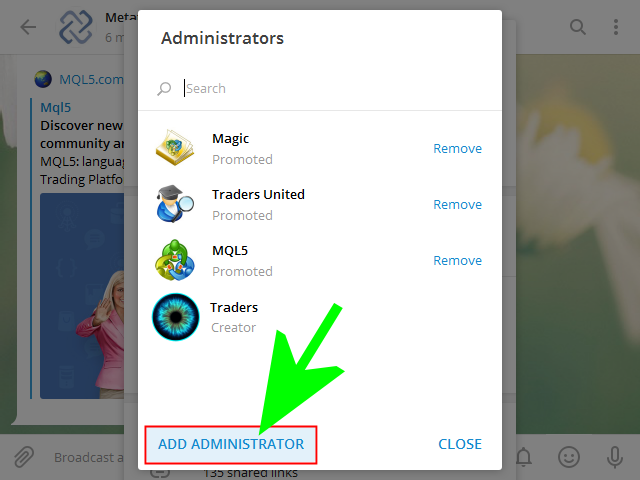
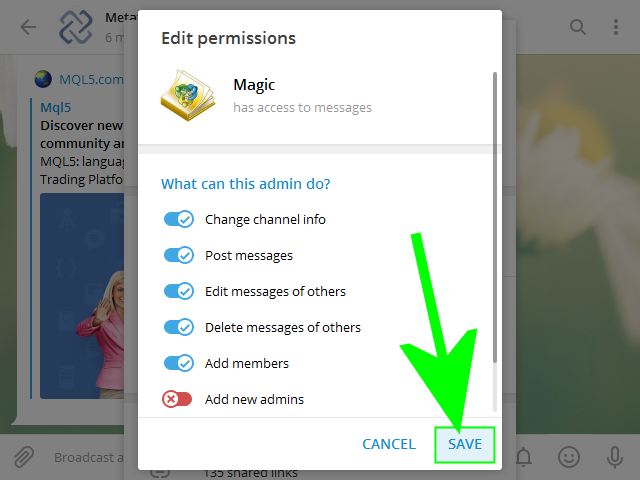
- Last but not least, you now have to add the Bot to the Channel or Group, As Administrator.
- Click the Group Name, then choose Manage Channel and then: Add Administrator and add the Bot name (format: @somebot) as Administrator,to the Channel or Group.
- People can use telegram.me/<bot_username> links or username search to find your bot.
- If you made the Channel or Group URL, people can use telegram.me/<ChannelorGroupname> links or username search to find your Channel or Group.
On metatrader:
- On the metatrader Desktop terminal go to Tools > Expert Advisers, and check the checkbox 'Allow Webrequest for listed URL'.
- Add the folowing URL to the list: https://api.telegram.org/
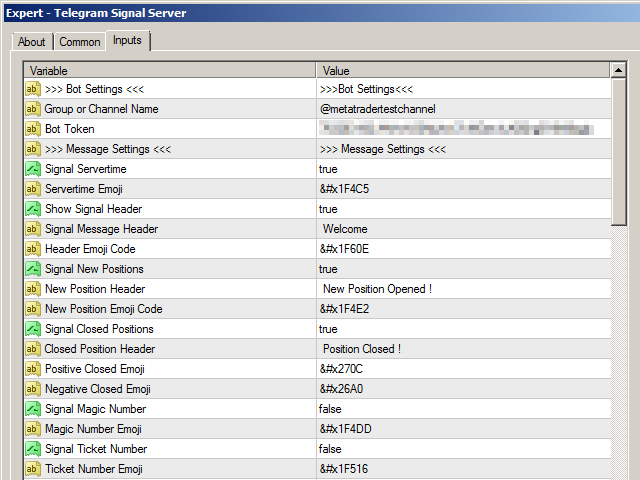
- Load the Expert Adviser and the Input Parameters window will pop up.
- Fill in the Bot Token (format: 123456:ABC-DEF1234ghIkl-zyx57W2v1u123ew11) in the input parameters.
- Next fill in the Channel or Group Name (@somechannelorgroup) or (https://www.telegram.me/somechannelorgroup) in the input parameters of the EA.
Done ! The EA will now push all new open and close trades to the Telegram Channel or Group.
 nload="if(window.viewGallery_GalleryManager) viewGallery_GalleryManager.ImageonLoad(this,7);" />
 nload="if(window.viewGallery_GalleryManager) viewGallery_GalleryManager.ImageonLoad(this,8);" />
 nload="if(window.viewGallery_GalleryManager) viewGallery_GalleryManager.ImageonLoad(this,9);" />
 nload="if(window.viewGallery_GalleryManager) viewGallery_GalleryManager.ImageonLoad(this,10);" />
 nload="if(window.viewGallery_GalleryManager) viewGallery_GalleryManager.ImageonLoad(this,11);" />
联系方式
公司:顺水的鱼外汇EA
状态:离线 发送信件 在线交谈
姓名:顺水的鱼(先生)
职位:投机客
电话:18391752892
手机:18391752892
地区:默认地区
地址:西安市高新区软件园
邮件:3313198376@qq.com
QQ:3313198376
微信:18391752892
阿里旺旺:顺水的鱼waterfish
Skype:3313198376@qq.com
状态:离线 发送信件 在线交谈
姓名:顺水的鱼(先生)
职位:投机客
电话:18391752892
手机:18391752892
地区:默认地区
地址:西安市高新区软件园
邮件:3313198376@qq.com
QQ:3313198376
微信:18391752892
阿里旺旺:顺水的鱼waterfish
Skype:3313198376@qq.com