


Position Size Pointer
Risk Management is one of the most important tools for a trader, which is why we have created the Position Size Pointer. The Position Size Pointer is an indicator specifically designed to show the user exactly how much of his money he can invest safely.
Using the Position Size Pointer
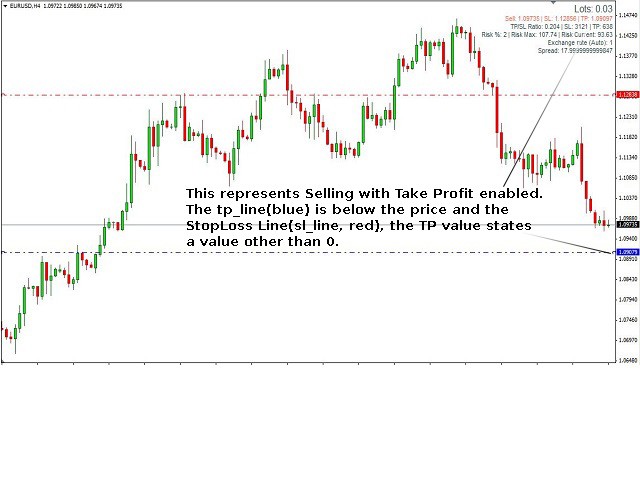
Using the Position Size Pointer is very simple. Just enter the Risk percentage intended for a single transaction, place the StopLoss Line (sl_line, red by default) where you want your Stop Loss to be set, and the TakeProfit Line (tp_line, blue by default) where you want your Take Profit to be set.
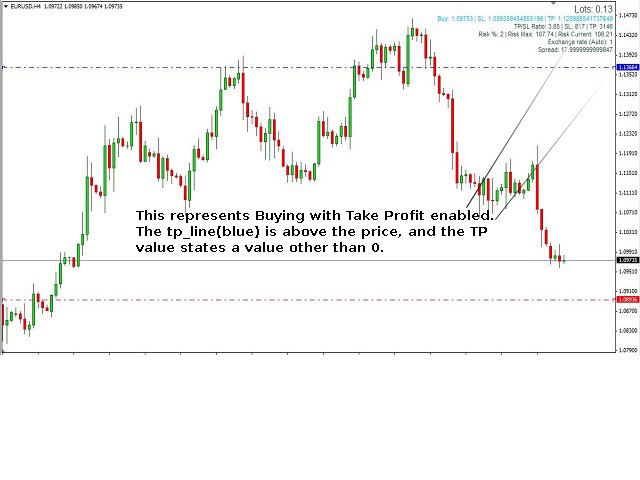
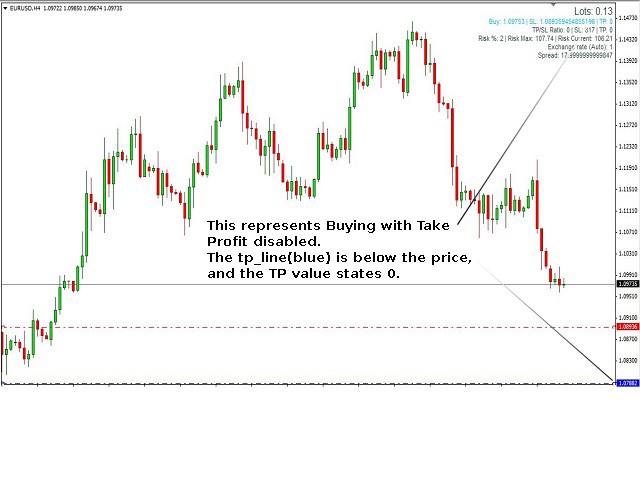
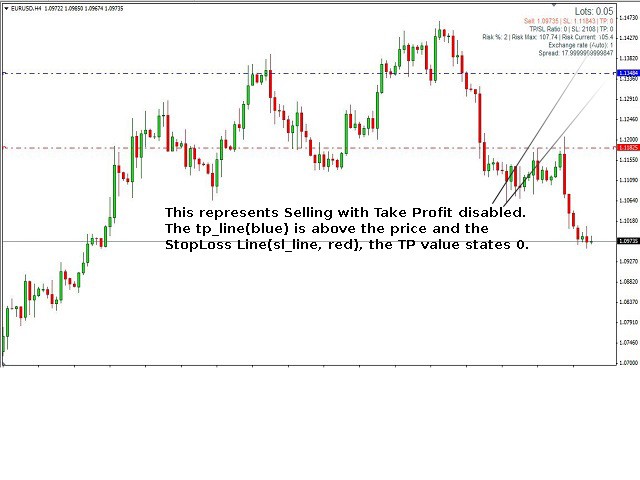
The indicator will do all the rest for You. Not only are the amount of Pips and Currency Rate taken into account but also the Spread: so you won't need to bother with any of this. To move either the TakeProfit or StopLoss Lines you should first double click one on them. If you do not wish to set a take profit level, put the TakeProfit Line on the "Wrong side" of the current price (under the current price for long position, and above for short position): it will then be set to 0.
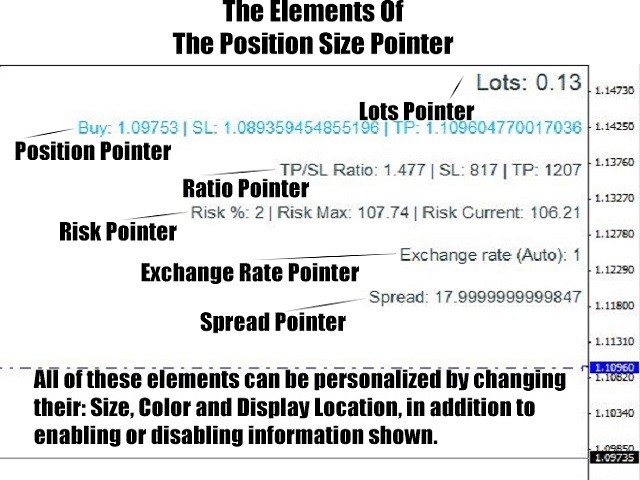
After you do this the Position Size Pointer will show you how many lots you can invest without exceeding your intended risk percentage. It will also provide you with valuable additional information about you current transaction such as:
- Parameters Confirmation (Buy/Sell, SL price, TP price).
- The TP/SL Ratio and the SL & TP Values in points.
- Confirmation of set risk percentage and the risk shown as a currency value based on the intended amount of risk.
- The Exchange rate, based on the quote currency in relation to the account currency.
- The Spread of the actual currency pair.
The Position Size Pointer can be personalized by changing Size, Color and Display Location, in addition to enabling or disabling information shown.
All changes and price updates take effect automatically after every new tick. If you are unsure if the most recent tick came since your last change you can also update it manually, by refreshing the chart or changing the interval back and forth.
Parameters
General Settings
- Risk—This is the users intended risk percentage. This is the only required value to be entered.
- Auto_calculate_exchange_rate—Here the Auto Calculate Exchange Rate, may be enabled or disabled. We tried to make the Position Size Pointer compatible with all currency pairs. However, if for some reason it is not, the Exchange Rate may be entered manually.
- Exchange_rate_if_not_auto_calculated—If the Auto Calculate Exchange Rate is disabled, then the exchange rate must be entered here. The value to be entered is the Quote currency in relation to the Account currency.
- Show_Position_Pointer—Here the user is given the choice of displaying the Position Pointer on the chart.
- Show_Ratio_Pointer—Here the user is given the choice of displaying the Ratio Pointer on the chart.
- Show_Risk_Pointer—Here the user is given the choice of displaying the Risk Pointer on the chart.
- Show_Exchange_Rate_Pointer—Here the user is given the choice of displaying the Exchange Rate Pointer on the chart.
- Show_Spread_Pointer—Here the user is given the choice of displaying the Spread Pointer on the chart.
- sl_line_color—Here the user is given the choice of colors for the StopLoss Line.
- tp_line_color—Here the user is given the choice of colors for the TakeProfit Line.
Font Color Settings
Here the user can change the primary font color that is displayed, as well as set alternate font colors which will provide additional information. For example, when the Alternate Ratio Colors are enabled, Ratio Pointers color will change when SL/TP Ratio for the current transaction is below the value set as min_Ratio.
Font Size Settings
Here the user can change the size of the fonts that are displayed.
Position Settings
Here the user can change the location of the Position Size Pointer on the chart.
Pointers Fast Trade
https://www.mql5.com/en/market/product/9822
Pointers Fast Trade DEMO
https://www.mql5.com/en/market/product/9823
状态:离线 发送信件 在线交谈
姓名:顺水的鱼(先生)
职位:投机客
电话:18391752892
手机:18391752892
地区:默认地区
地址:西安市高新区软件园
邮件:3313198376@qq.com
QQ:3313198376
微信:18391752892
阿里旺旺:顺水的鱼waterfish
Skype:3313198376@qq.com