

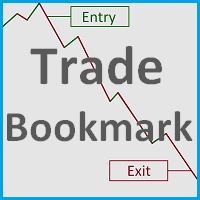
Trade Bookmark
This tool helps you find, revisit and document your past trades by marking the entries and exits using price labels.
This indicator is designed to help you analyse your trades to, for example, find strengths and weaknesses of your Expert Advisor/strategy or even help writing your trading diary by clearly showing your past trades that you want to revisit. To only select those trades that were, for example opened by one specific Expert Advisor, you can select the magic number of those trades that you want to have displayed. You can also select one specific trade to display by its order ticket or set if you want only winning trades, losing trades or both to be displayed.
"Trade Bookmark" therefore can be extremely helpful if you like to go through and analyse your past trades with the goal to become an overall better trader or to better understand and tweak your Expert Advisors.
Input Parameters
- Long Trade Entry/Exit Color - Choose the Color of the trade entry and exit price label of long trades
- Short Trade Entry/Exit Color - Choose the Color of the trade entry and exit price label of short trades
- Price Label Size - Select the size of the price labels
- Display Stoploss and Takeprofit Levels - Select if you want SL and TP levels to be displayed on the chart
- Takeprofit/Stoploss Level Color, Width, Style - Select the TP and SL level color, width and style
- Entry/Exit Label Position - Choose whether the entry and exit label is placed right or left of the chart
- Select Trade by Order Ticket - Choose if you want to select a specific trade by its order ticket
- Order Ticket - The order ticket of the specific trade that you want to display
- Select Trades by Magic Number - Choose if you want to select specific trades by their magic number (for example, the trades from one Expert Advisor)
- Magic Number - The magic number of the trades that you want to display
- Select Winning Trades - Set if you want winning trades to be displayed
- Select Losing Trades - Set if you want losing trades to be displayed
- Delete Labels when closing? - Choose if you want the program to delete the Price labels that it created when you delete it from your terminal. Select "No" if you want to have them displayed after you have closed the program. Of course, you can also delete them manually.
Note
-
The names of the price labels for entries and exits are "Entry" or "Exit" respectively plus the order ticket number, so it is easy to identify which trade exactly you are looking at. Same with the stop loss and take profit levels.
-
If you have deleted the program from your terminal panel without deleting the labels, you can simply restart the program, set "Delete Labels when Closing?" to yes and delete it from your terminal again. That will also delete all the Labels, so you do not have to do it manually.


状态:离线 发送信件 在线交谈
姓名:顺水的鱼(先生)
职位:投机客
电话:18391752892
手机:18391752892
地区:默认地区
地址:西安市高新区软件园
邮件:3313198376@qq.com
QQ:3313198376
微信:18391752892
阿里旺旺:顺水的鱼waterfish
Skype:3313198376@qq.com