

Premium Retracement Entry Notifier
Premium Retracement/Pullback Entry Notifier
This trade tool formerly called Trade Tool 102, helps you to enter pullbacks of the established trend, the maximum pips to be earned depends on
the time frame and pair you are trading. You can adjust CCI settings to 7, to help you enter the first pullbacks of the trend, and for great
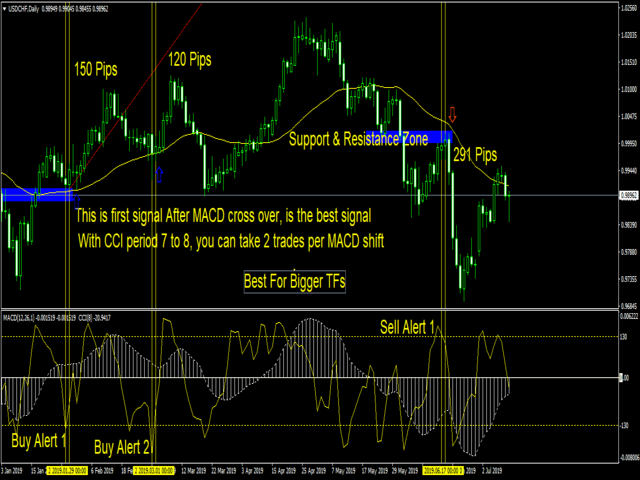
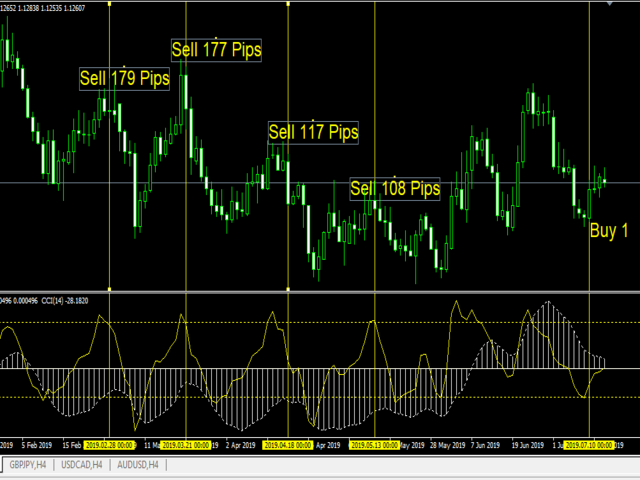
results, you are advised to take the first signal after MACD conversion, these type of trades have long haul properties to help you stay in the
trade for much longer time
Trade Pairs
Though this trade tool works with every pair/instrument, for greater movement use this trade tool for GBPNZD, GBPAUD, GBPJPY, GBPCAD, EURNZD, GBPCHF,EURAUD, GBPUSD, EURJPY, USDJPY, CHFJPY, EURCAD, USDCAD and CADJP. Other Pairs pullbacks do not have many pips movements, though works with every trade instrument in the world, furthermore you can do your testing yourself
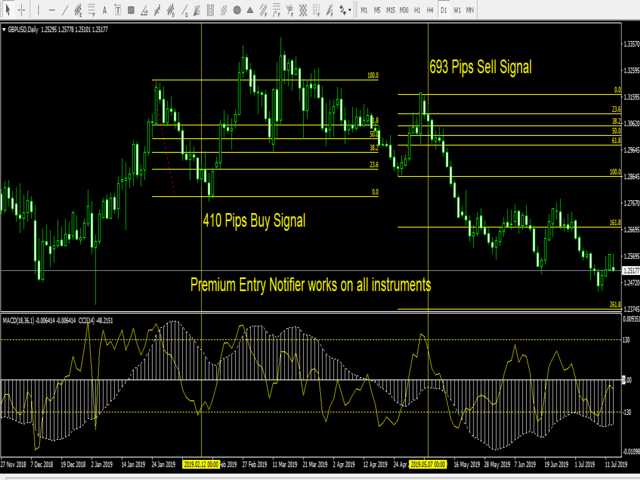
To set your take profit and stop loss use fibonacci retracement tool
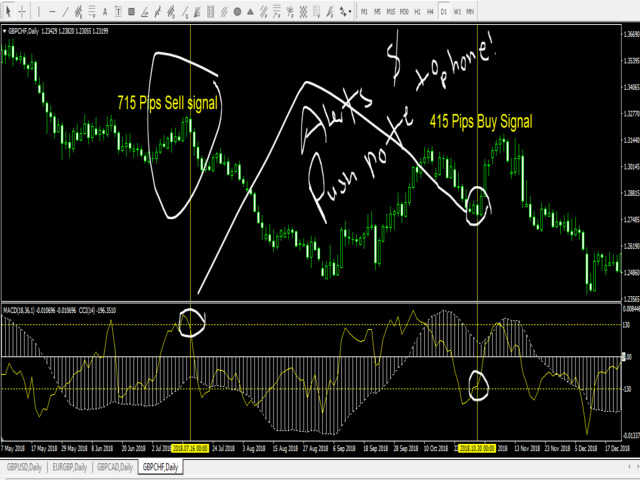
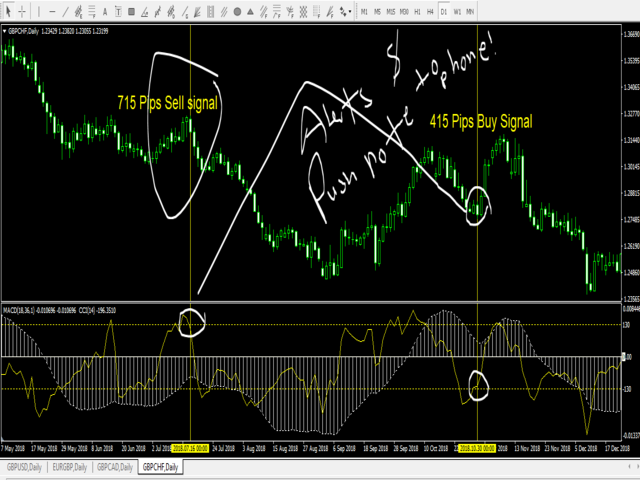
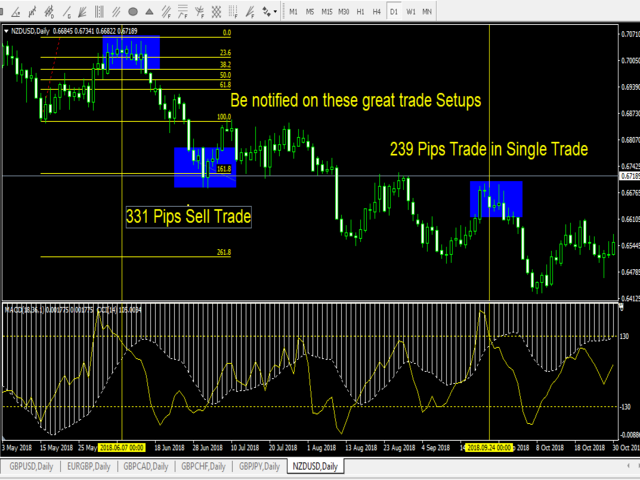
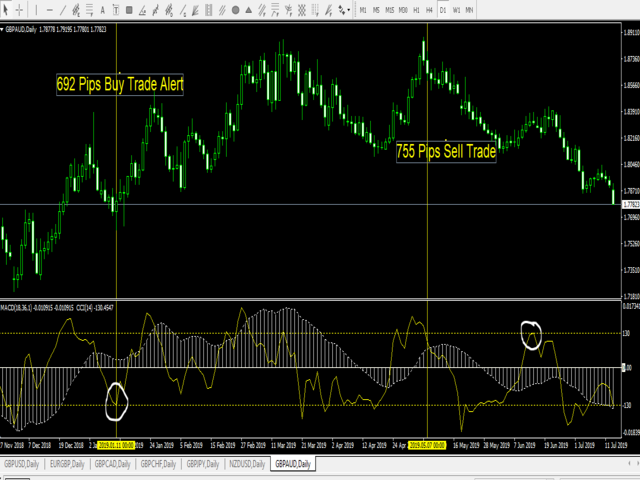
1. For a buy trade, upon receiving signal alert draw a Fibonacci retracement from last higher high to a current point (Higher low) where you received trade alert, Place Take profit 1 at 100 level, Take profit 2 at 161.8 level, Take profit 3 at 261.8 level and Take profit 4 at 423.6 level. Though in Most cases (Take profit 2 and 3 will be hit much faster and for most trades) - rule of thumb, only the first signals after MACD have changed direction from Negative to Positive for best outcomes
Now set your stop loss at the lower of the previous candle where you received notification
2. For a Sell trade, upon receiving signal alert draw a Fibonacci retracement from last Lower Low to Higher Low point where you have received trade alert, Place Take profit 1 at 100 level, Take profit 2 at 161.8 level, Take profit 3 at 261.8 level and Take profit 4 at 423.6 level. Though in Most cases (Take profit 2 and 3 will be hit much faster and for most trades) - rule of thumb, only the first signals after MACD have changed direction from Negative to Positive for best outcomes
Now set your stop loss immediately above high of the previous candle where you received notification
Trade tool features
1. Notification capacity for Push, popup and windows alert on the finding of trade setup (you should have enabled this feature on your MT4
under Tools->Options->Notifications
2. Features trend following signals especially on pullbacks (special entries)
3. very tight stop loss for most of pairs (as trades are taken in trend directions
Basic considerations
1. This is a versatile trade tool and can be set to the user requirements
2. With CCI settings of 7, allows the trader to time trends at their beginning, and will be able to ride such trends for a very long period of time. and for such settings, the user is allowed to get only 2 signals per trend, and the rest of signals have to be ignored
3. With the default settings, the user is expected to get at most 1 important signal,
4. importANT NOTE. only the first signal appearing after MACD Cross Over is the best one, or 1st and 2nd for those using lower CCI settings (7),
so any other signal appearing after the first one have appeared in the same MACD cross, should be ignored for best experienced in using this
trade tool, NOTE: internal settings of the tool, should be reflected to graphical settings, as TZ trade Logics, we are working to add some
graphical components in the future.
Basic initial setups
i have not made this trade tool to print graphical features on the chart, however for visual purposes, consider creating a template with the following settings
1. MACD at default settings
2. Drag CCI on top of MACD and if you are using white background, you may consider changing all colors of CCI to blue for visibility purposes in indicator and level panes, also adjust levels to 130 and -130
3. Also add 50 Smoothed Moving averages, which helps you visualizing price relation to current trend
Contact Us Through
Phone: +255 766 988 200 this number is on WhatsApp as well
Email: mnfungo@gmail.com
https://t.me/fx_trade_logic

 nload="if(window.viewGallery_GalleryManager) viewGallery_GalleryManager.ImageonLoad(this,7);" />
状态:离线 发送信件 在线交谈
姓名:顺水的鱼(先生)
职位:投机客
电话:18391752892
手机:18391752892
地区:默认地区
地址:西安市高新区软件园
邮件:3313198376@qq.com
QQ:3313198376
微信:18391752892
阿里旺旺:顺水的鱼waterfish
Skype:3313198376@qq.com