


MT4 Telegram Signal
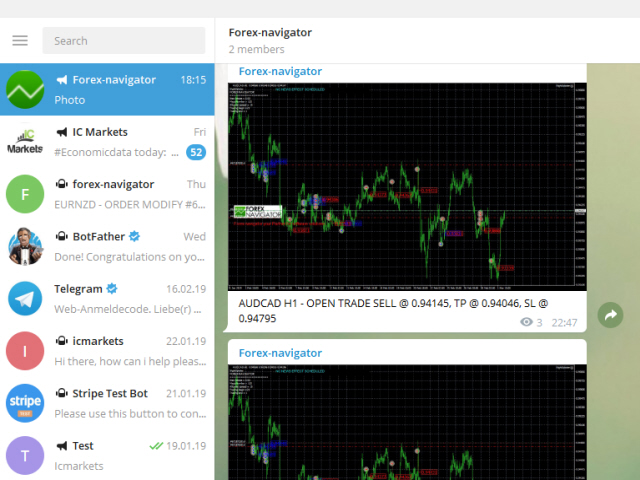
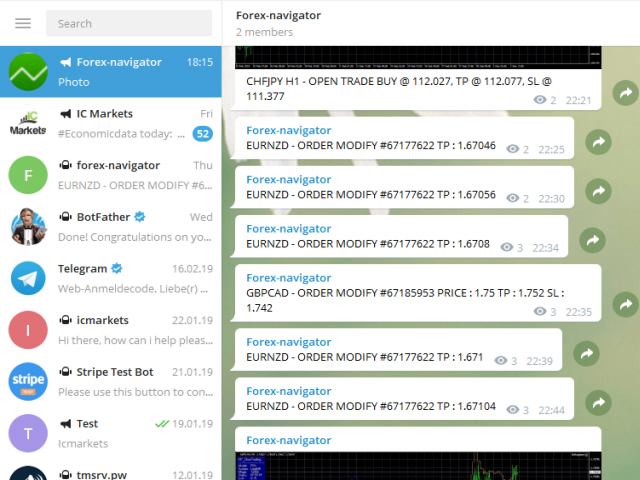
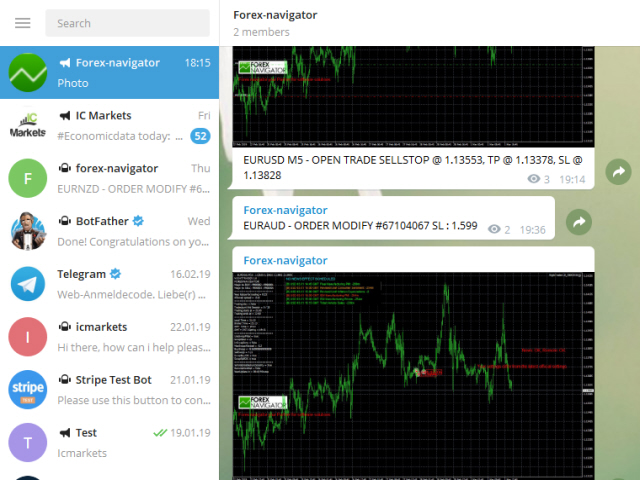
MT4 Telegram Signal is tool, which sends selected trades via magic number to telegram channel. Tool sends trades when open and close with chart to telegram chanel. It also sends every modification from trades to telegram. Tool can send multiple charts and magic numbers and pairs from a single chart. For this you have to fill in on the chart corresponding magic number to be sent by the chart.
Send information of all type of orders: Opened (including Pending Orders), closed tiggered, and modifeid orders.
You must add the URL “https://api.telegram.org” to Tools > Options > Expert Advisors > Allow Web Request for listed URL in order to load news data from the source.
You can find add free version : https://www.mql5.com/en/market/product/37432
setup video : https://www.youtube.com/watch?v=wvDG4sAwCNg
Telegram Setup instruction
- Open your Telegram APP and search for "BotFather".
- Type /start and click/type /newbot to create a new bot.
- Give your bot a nickname and username (e.g., nickname: Bestnavisignal and username: Bestnavisignalbot <-- username has to be ended by 'bot').
- Congratulations! You have created your Telegram bot.
- Save your bot API token (e.g. 787517015:AAFnbcZYxx_iXAdRGrZD1W8bsSF5Xr_FmQ0) .
- If you don't have it already, create the channel or group
- Open the channel/group Info, then Manage, Add Administrators, type the bot username, and click Save
- Send any message to the channel/group like "hello world"
- Open the following URL in a browser: https://api.telegram.org/bot<token>/getUpdates (dont forget adding your bot token to the URL)
- Search for the string "chat":{"id": to find a large negative number. This is your group or channel ID
- Copy the chat ID
- Back in metaTrader 4, go to Tools > Options > Expert Advisors > tick 'Allowed WebRequest for listed URL' and add 'https://api.telegram.org'.
- Attach the utility into your metaTrader 4 chart and fill up the Token (from step 5) and ChatID (from step 11).
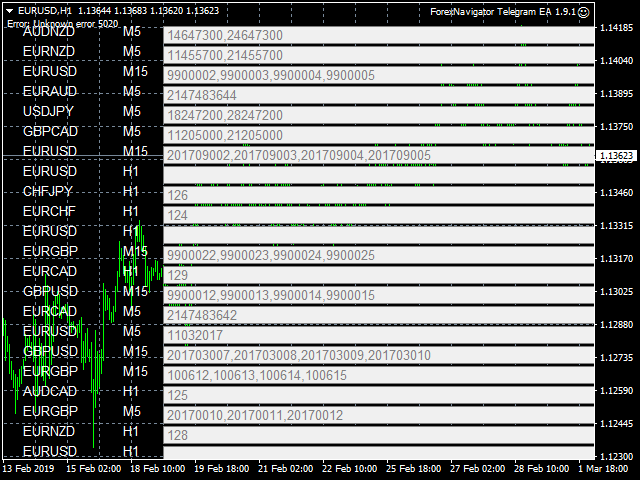
- Fill in the magic number sperated with comma "," on utility chart window. So you can select trades which should be sent to Telegram (important! not shown on video look images please)
- Your utility is ready to work for you.
状态:离线 发送信件 在线交谈
姓名:顺水的鱼(先生)
职位:投机客
电话:18391752892
手机:18391752892
地区:默认地区
地址:西安市高新区软件园
邮件:3313198376@qq.com
QQ:3313198376
微信:18391752892
阿里旺旺:顺水的鱼waterfish
Skype:3313198376@qq.com