


Ultimate Renko
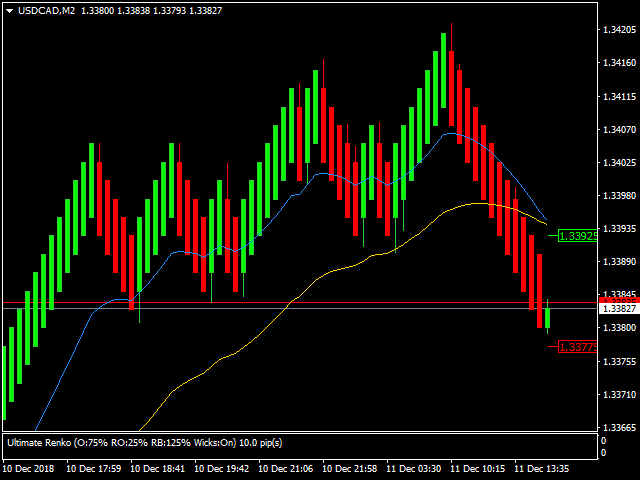
Ultimate Renko is a full implementation of a robust Renko style charting solution for metaTrader 4. It enables creating custom live charts resembling Median Renko, Mean Renko, Turbo Renko, and Better Renko candles as well as Vanilla Renko and Renko with wicks, PointO charts and many more. This all in one package provides all of the signals needed by day traders, scalpers and even long-term traders.
You can apply all of the standard and custom indicators and technical studies as well as templates to the Renko charts and you can run EAs directly on these charts as well* (see text below the input summary).
To create the Renko chart you need to attach the Ultimate Renko indicator to a standard timeframe (1 minute is recommended) and use the indicator's settings to generate a live custom chart that will be displayed on an offline chart of your choice. All of the available settings are described below:
== Bar type definition ==
- Candle body size (in pips for Forex pairs and in points for others)
- Presets (sets 3 values below): Presets for creating several commonly utilized charting types: Renko / Median Renko / PointO / Turbo Renko / Hybrid Renko
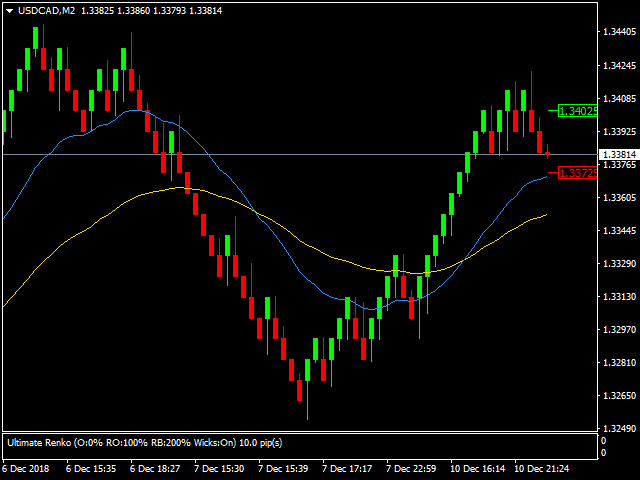
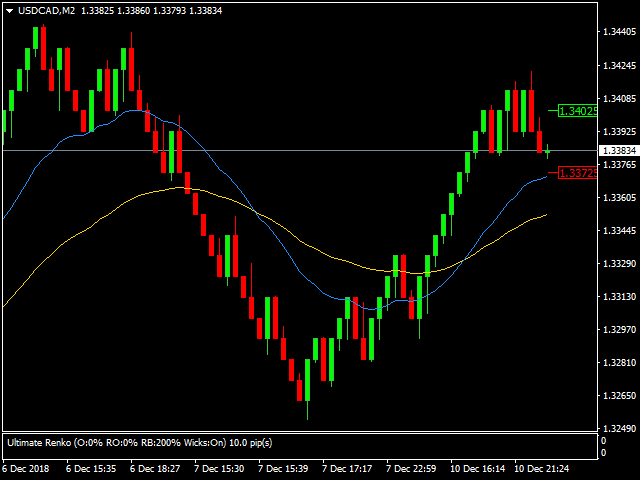
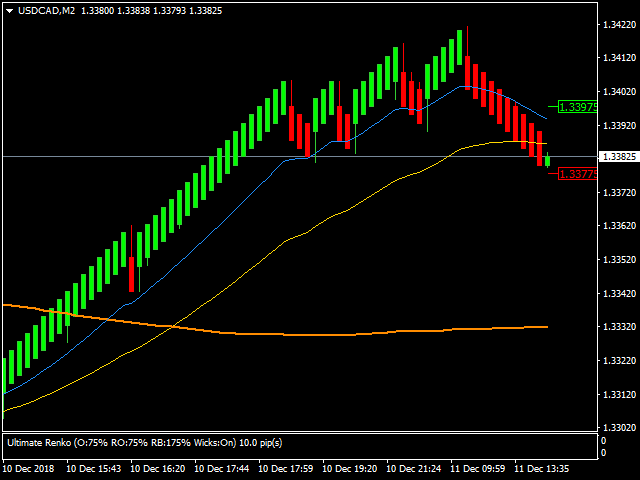
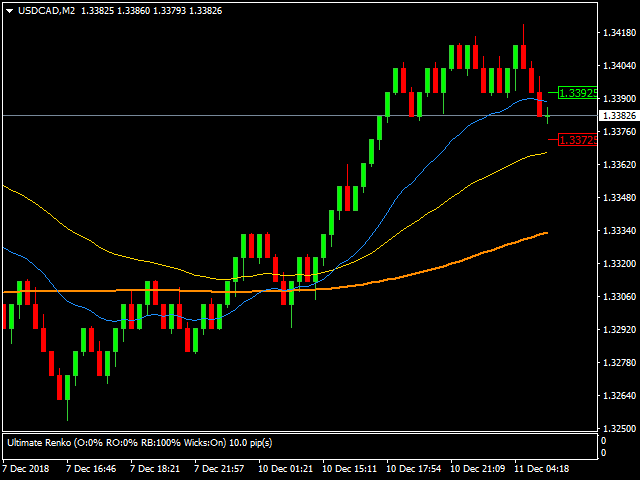
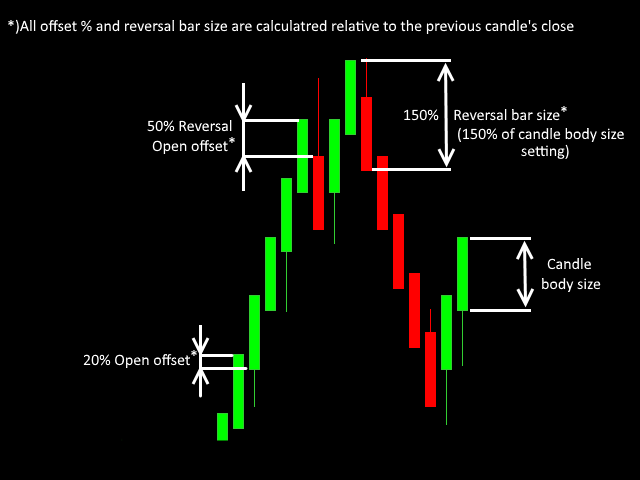
- Open offset % (0 to ..) - offsets the new trending bar's open value back by % or the defined candle body size (see the last screenshot)
- Reversal Open offset % (0 to ..) - offsets the new reversal bar's open value back by % or the defined candle body size (see the last screenshot)
- Reversal bar size % (0 to ..) - sets the size of the reversal bar as a % or the defined candle body size (see the last screenshot)
- Show wicks (true/false)
== Display settings ==
- Display on offline chart (M2, M3, M4, M6, M7, M8, M9 or M10)
- Apply template to offline chart (name of the template to apply to the range bars chart)
- Automatically open offline chart (true/false)
- Build history for a number of days
- Apply offset to first Renko brick
- Offset value in pips
- Reset Open on each trading day
- Override start of trading day
- Re-calculate chart on history updates
- Minimum chart update interval (defined in milliseconds)
== ATR based bar size calculation ==
- Enabled (true/false)
- Daily ATR period
- Percentage of ATR to calculate candle body size
== alerts and Info ==
- Sound signal on a new bar (true/false)
- only signal reversal bars (true/false)
- Use alert Window to display signal (true/false)
- Sound file to play on a bullish bar
- Sound file to play on a bearish bar
- The color of High threshold indicator
- The color of Low threshold indicator
*) EAs can be used directly on the offline chart however a small tweak is required, so you need to have access to your EA source code. Below is an EA skeleton example that is capable of running directly on the offline chart:
#property strict
//+------------------------------------------------------------------+
//| Expert initialization function                                   |
//+------------------------------------------------------------------+
int OnInit()
{
   // You need to initialize a time to call the onTimer event.
   // It is used to call onTick whenever the Bid price changes.
   // The check is made every 250 ms, which should be sufficient.

   EventSetMillisecondTimer(250);

   //---

   return(INIT_SUCCEEDED);
}
//+------------------------------------------------------------------+
//| Expert deinitialization function                                 |
//+------------------------------------------------------------------+
void OnDeinit(const int reason)
{
   // Remember to destroy timer in the onDeinit event.

   EventKillTimer();

   //---
}
//+------------------------------------------------------------------+
//| Expert tick function                                             |
//+------------------------------------------------------------------+
void OnTick()
{
   //
   // This is where all of your EA trading logic resides.
   // I just write to the log in this example...
   //

   Print("onTick function call - bid = "+(string)Bid);
}
//+------------------------------------------------------------------+
//| The onTimer function is used to call onTick()                    |
//| whenever the Bid price changes.                                  |
//+------------------------------------------------------------------+
void OnTimer()
{
   RefreshRates();
   static double prevBid = 0;

   if(Bid != prevBid)
   {
      prevBid = Bid;
      OnTick();
   }
}
//+------------------------------------------------------------------+


 nload="if(window.viewGallery_GalleryManager) viewGallery_GalleryManager.ImageonLoad(this,7);" />
状态:离线 发送信件 在线交谈
姓名:顺水的鱼(先生)
职位:投机客
电话:18391752892
手机:18391752892
地区:默认地区
地址:西安市高新区软件园
邮件:3313198376@qq.com
QQ:3313198376
微信:18391752892
阿里旺旺:顺水的鱼waterfish
Skype:3313198376@qq.com