

Harmonic Volatility Indicator MT4
Introduction
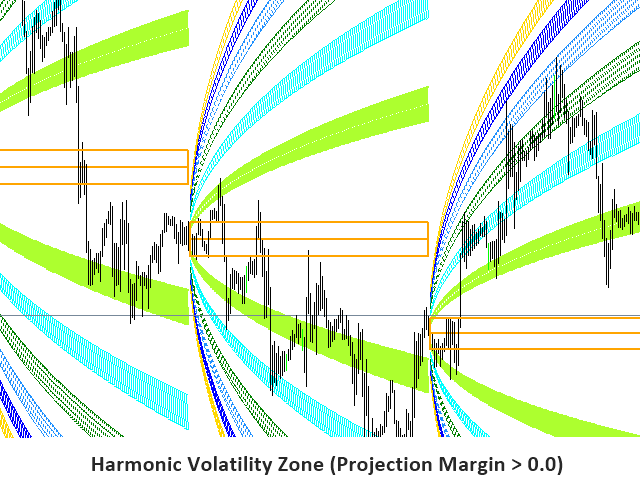
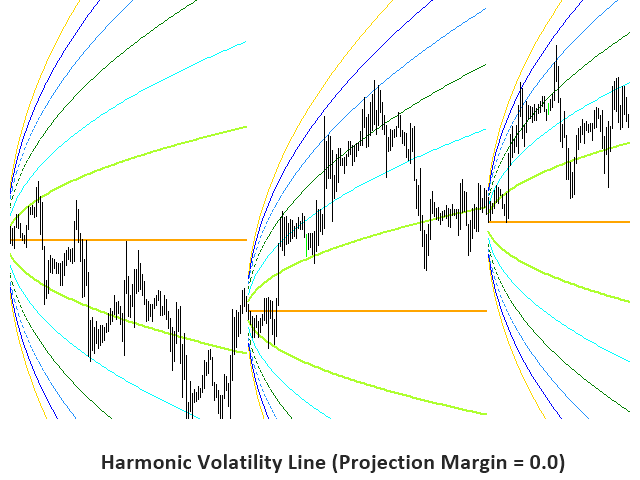
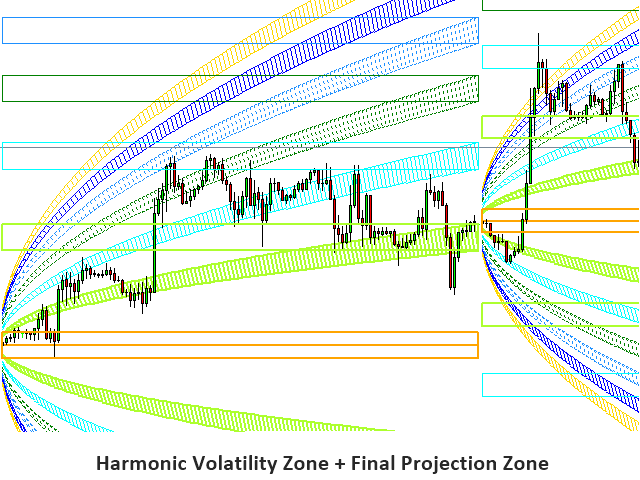
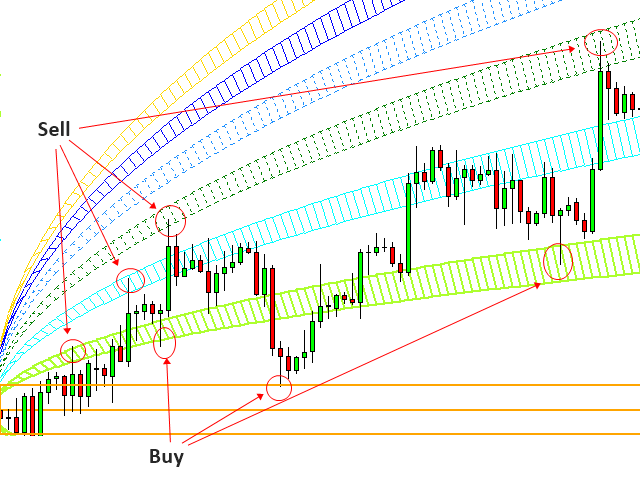
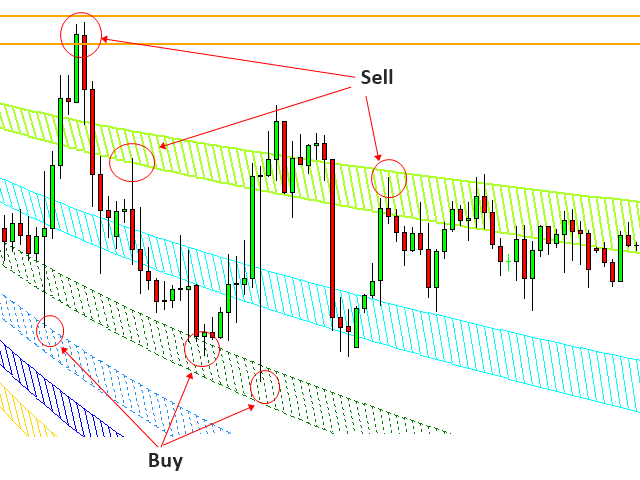
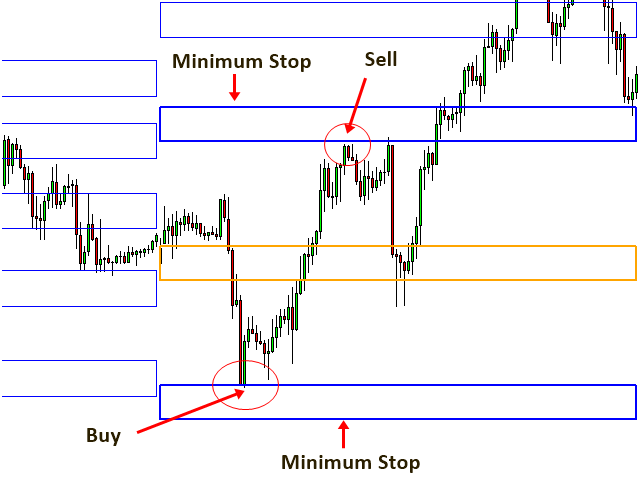
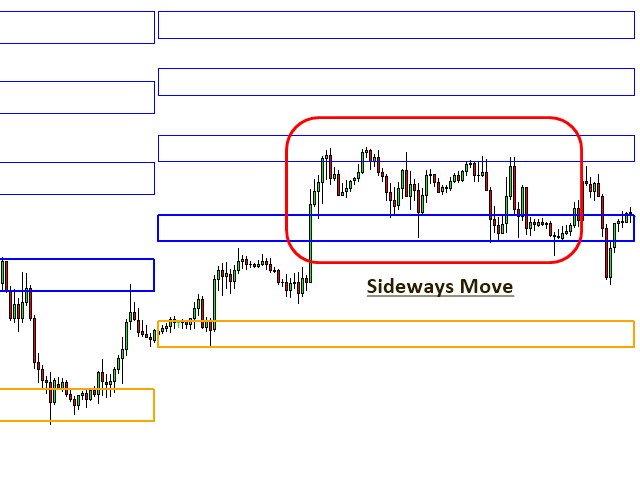
Harmonic Volatility Indicator is the first technical analysis applying the Fibonacci analysis to the financial volatility. Harmonic volatility indicator is another level of price action trading tool which combines robust Fibonacci ratios (0.618, 0.382, etc.) with trading volatility. Originally, Harmonic Volatility Indicator was developed to overcome the limitation and the weakness of Gann’s Angle, also known as Gann’s Fan. We have demonstrated that Harmonic Volatility Indicator can be applied in a similar manner to Gann’s Angle (or Gann’s Fan) to your chart. At the same time, since the volatility is very important information for traders, Harmonic Volatility Indicator can bring many other benefits to traders, too. Harmonic Volatility Indicator can be well incorporated to your existing technical analysis or you can use it as totally standalone technical analysis for your trading. It is also very effective in spotting mature trend in its end phase. You can use this tool to identify the significant support/resistance levels, trend reversal point and trend strength.
Possible Trading Setup and Strategies
As long as you understand the basic trading principle, you can always expand your trading with different ideas using Harmonic Volatility Indicator. Here are some examples:
- Possible Trading Setup 1 - Harmonic Volatility Indicator as zone trading (reversal and breakout trading setup)
- Possible Trading Setup 2 - Harmonic Volatility Indicator and common oscillators (reversal trading setup)
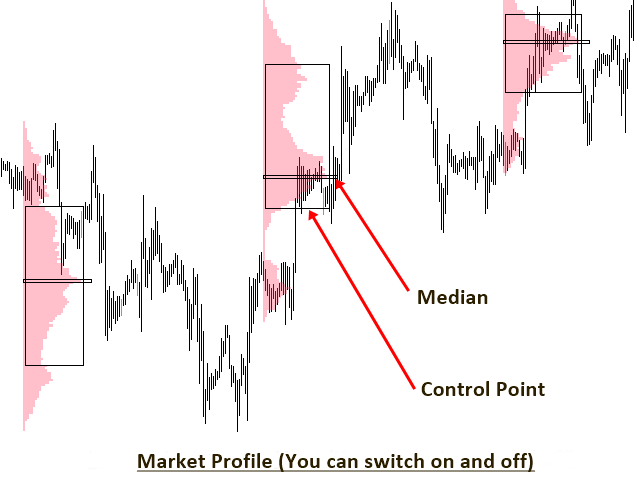
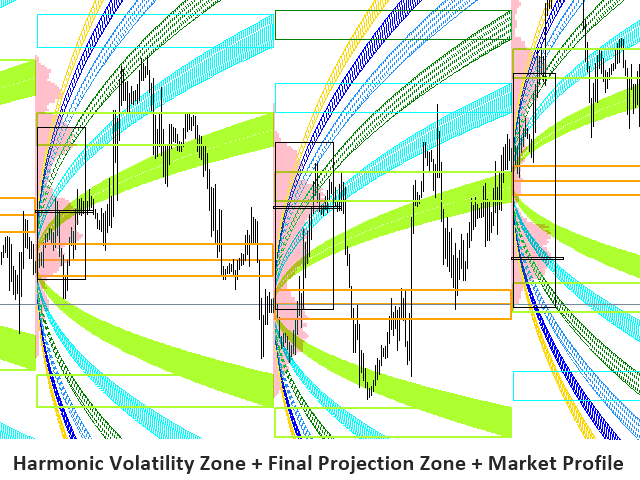
- Possible Trading Setup 3 - Harmonic Volatility Indicator and Market Profile (reversal trading styles and possible to trade with breakout mode)
- Possible Trading Setup 4 - Harmonic Volatility Indicator and Harmonic Pattern Plus and Market Profile (reversal trading setup)
Settings
These inputs control the global settings of the indicator.
- Number of Daily Session: 0 means indicator will not draw any daily volatility lines. 1 means that indicator will draw one set of daily volatility lines. You can create multiple sessions of daily volatility lines. However, too many sessions can slow down your metaTrader. So use the right number for your computer.
- Number of Weekly Session: It is the same as daily session input.
- Number of Monthly Session: It is the same as daily session input.
- Starting Index: 0 is default value. For 0, indicator will start to draw from session 0.
- Use White Chart: True means that you will use white background chart.
- Use Individual Line Color: If this is false, then you will use global color scheme. If this is true, then you can use individual color scheme
- Daily Line Color: Color of daily line
- Weekly Line Color: Color of weekly line
- Monthly Line Color: Color of monthly line
- Show Probability Lines: Switch on and off the curved probability line
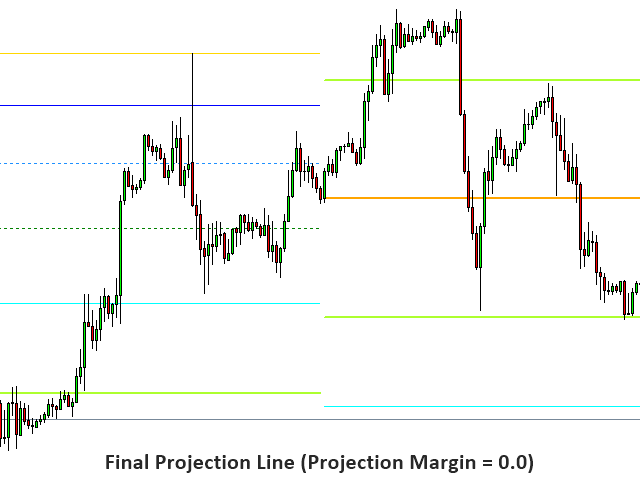
- Show Final Projection: Switch on and off the trading zone box
- Final Projection Margin: Size of box
Market Profile settings
- Use Market Profile: Switch on and off market profile from your chart
- Session: Choose from daily, weekly or monthly only
- SessionsToCount: Number of sessions for which to count the Market Profile
- Color for Market Profile: Color for market profile
- Color for Median: Color for median value
- Color for Value Area: Color for value area
Input Settings for each probability line
Each probability line can be switched on and off according to your preferences. You have the same setting for nine lines.
- Use Line 1: You can switch on and off the line
- Probability Line 1: You can set the ratio of the line
- Probability Line 1 Color: Color for line
- Probability Line 1 Width: Width for line
- Probability Line 1 Style: Style for line
Further note about this indicator
This indicator is graphic intensive. Therefore, when you use too many sessions for harmonic volatility indicator and market profile, this can slow down your metaTrader. So try to use the right amount of sessions suiting your computer specs if you are going to use this indicator for many symbols.
Keyboard Short Cut
Press Keyboard D: Redraw harmonic volatility indicator from your chart.
Timeframe Choice
When Daily Harmonic Volatility session is on, you cannot use D1, W1 and MN timeframes. In addition, when Daily Market Profile session is on, you cannot use H4, D1, W1 and MN timeframes.

 nload="if(window.viewGallery_GalleryManager) viewGallery_GalleryManager.ImageonLoad(this,7);" />
 nload="if(window.viewGallery_GalleryManager) viewGallery_GalleryManager.ImageonLoad(this,8);" />
 nload="if(window.viewGallery_GalleryManager) viewGallery_GalleryManager.ImageonLoad(this,9);" />
 nload="if(window.viewGallery_GalleryManager) viewGallery_GalleryManager.ImageonLoad(this,10);" />
 nload="if(window.viewGallery_GalleryManager) viewGallery_GalleryManager.ImageonLoad(this,11);" />
状态:离线 发送信件 在线交谈
姓名:顺水的鱼(先生)
职位:投机客
电话:18391752892
手机:18391752892
地区:默认地区
地址:西安市高新区软件园
邮件:3313198376@qq.com
QQ:3313198376
微信:18391752892
阿里旺旺:顺水的鱼waterfish
Skype:3313198376@qq.com