

Price Zone Oscillator
The idea after PZO is about finding a smoother alternative to Relative Strength Index (RSI) that measures momentum and strength of the price movement.
PZO depends on one condition: If today’s closing price is higher than yesterday’s one, then the closing price will have a positive value (bullish); otherwise it will have a negative value (bearish).
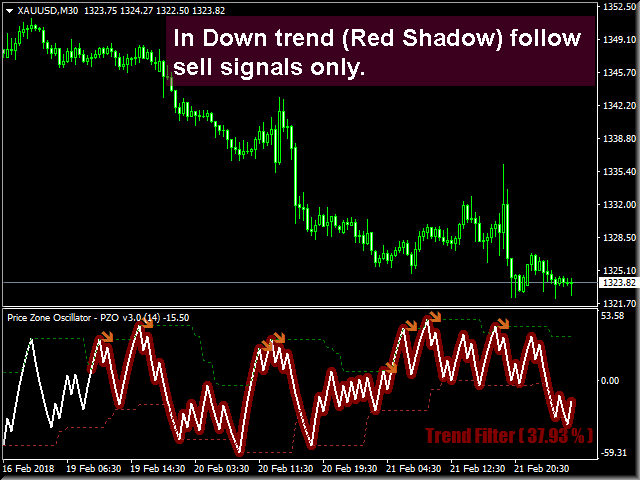
PZO Version 3 uses a volatility filter to find signals in trending markets only.
How it works
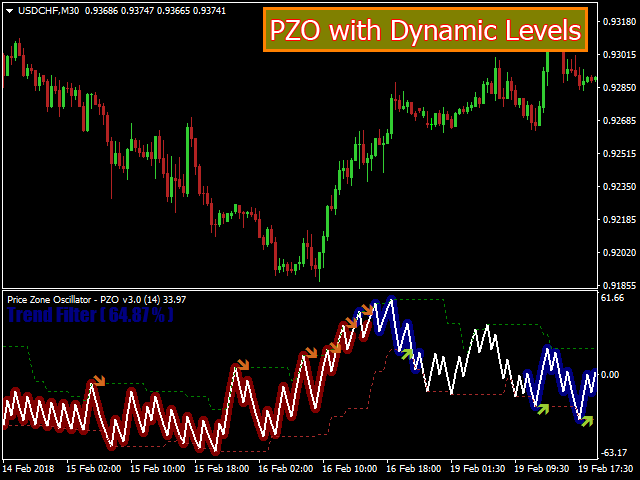
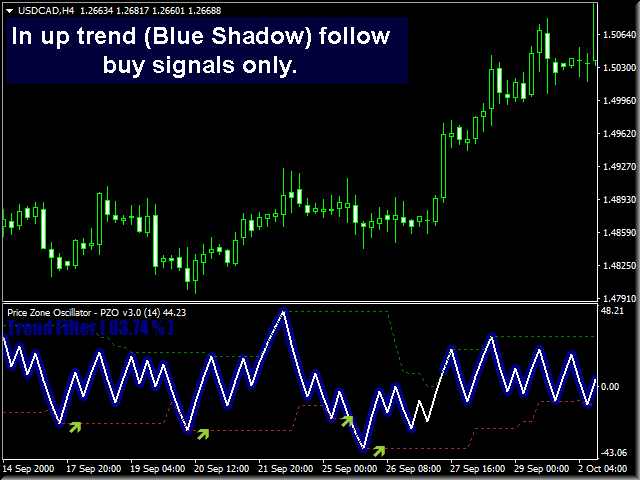
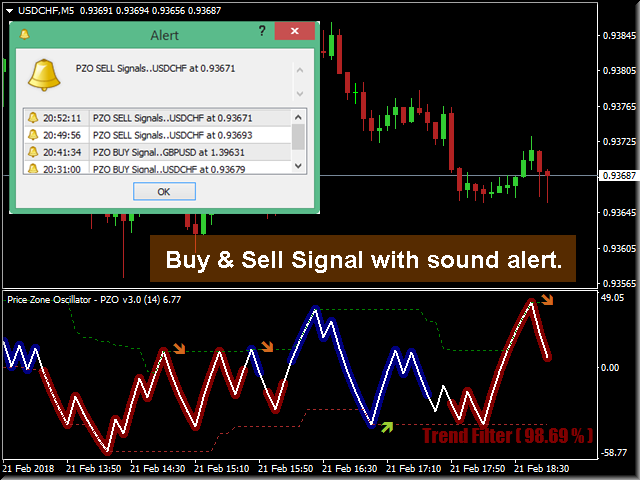
- PZO will give buy signals only if the trend filter is strong and price is trending to the upside.
- PZO will give sell signals only if the trend filter is strong and price is trending to the downside.
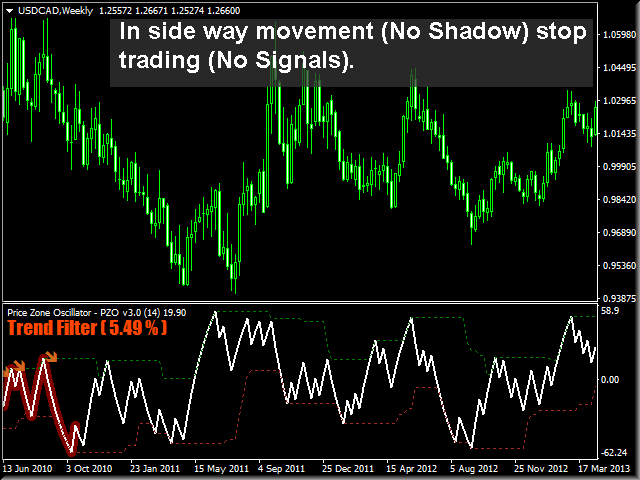
- If volatility is weak, any signal is ignored and no arrows appear on the chart.
- When PZO crosses its overbought level (whether dynamic or fixed), then the trend might reverse direction to the downside.
- When PZO crosses its oversold level (whether dynamic or fixed), then the trend might reverse direction to the upside.
- Default number of candles used in calculation is 14 candle and we suggest not changing it except for a good reason.
- Default calculation price is Close price but I added the ability to change it to other prices like High, Low, Open.
-
As a leading oscillator, divergence between the price line and PZO could help you find a reversal area in trend direction faster.
Features
- Green PZO shadow for uptrend with high volatility.
- Red PZO shadow for downtrend with high volatility.
- No shadow means low volatility and no trade signals.
- Trend filter label that reads in percent between 0 and 100%.
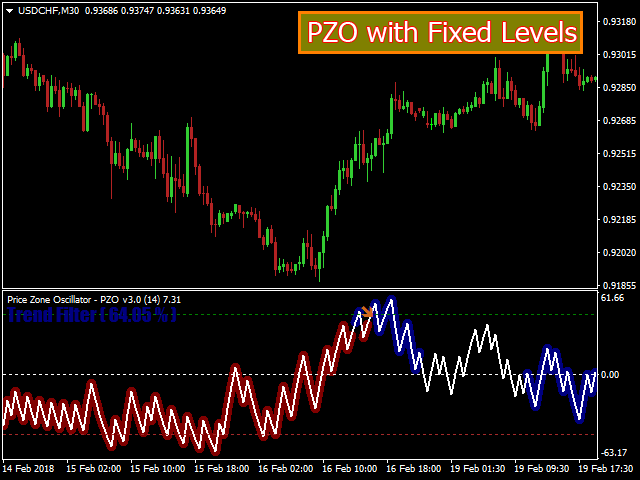
- Users can switch between both Ordinary and Dynamic levels.
- Buy, Sell arrows to help identifying PZO oversold, overbought signals.
- Sound, email and mobile alerts depending on user choice.
- Well-designed style that user can control.
Parameters
1) PZO Line Inputs
- PZO Price: price used in calculation (Open, High, Low…). Default is Close.
- PZO Bars: number of bars or candles used in calculation. Default is 14 bars.
- PZO Color: Default is White.
- PZO Width: Default is two.
2) Shadows & Trend Filter Inputs
- PZO Style: Choose to show PZO main line with trend filter shadow around it. Default is to Show Shadow.
- Trend Filter Info Corner: Choose the corner to show Trend Filter Label. Default is right lower corner.
- Trend Filter Bars: Number of bars or candles used in Trend Filter calculation. Default is 100.
3) Levels Style Inputs
- Choose Levels Style: Users can choose between dynamic or fixed levels for the overbought and oversold conditions. Default is Dynamic.
- Over Bought Line Color: Default is Green.
- Midline Color: Default is White (midline appear in fixed style only).
- Over Sold Line Color: Default is Brown.
- Over Bought in Fixed Style: Default is +45.
- Midline in Fixed Style: Default is zero.
- Over Sold Line in Fixed Style: Default is -45.
4) Arrows Custom Inputs
- Show Signal: Choose to show or hide PZO Arrow Signals.
- Buy Arrow Color: Default is Yellow Green.
- Sell Arrow Color: Default is Chocolate.
- alert: Users can choose to see an alert message when a new trading signal appears on the chart (default is yes).
- Send email: Users can choose to see an email to his inbox when a new trading signal appears on the chart (default is no).
- Send Notification: Users can choose to send push notifications to the mobile terminals (default is no).
联系方式
公司:顺水的鱼外汇EA
状态:离线 发送信件 在线交谈
姓名:顺水的鱼(先生)
职位:投机客
电话:18391752892
手机:18391752892
地区:默认地区
地址:西安市高新区软件园
邮件:3313198376@qq.com
QQ:3313198376
微信:18391752892
阿里旺旺:顺水的鱼waterfish
Skype:3313198376@qq.com
状态:离线 发送信件 在线交谈
姓名:顺水的鱼(先生)
职位:投机客
电话:18391752892
手机:18391752892
地区:默认地区
地址:西安市高新区软件园
邮件:3313198376@qq.com
QQ:3313198376
微信:18391752892
阿里旺旺:顺水的鱼waterfish
Skype:3313198376@qq.com