


Truly ScreenShot Indicator
The indicator takes screenshots of the active terminal chart.
Available image saving options:
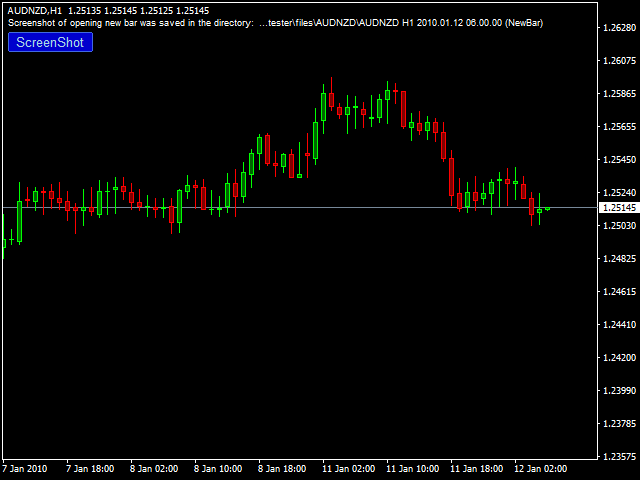
- At the opening of a new bar (candlestick) depending on the currently selected timeframe;
- After a certain time interval, e.g. every 10 minutes after indicator launch on a chart;
- When trade orders are opened/closed both by an Expert Advisor and manually;
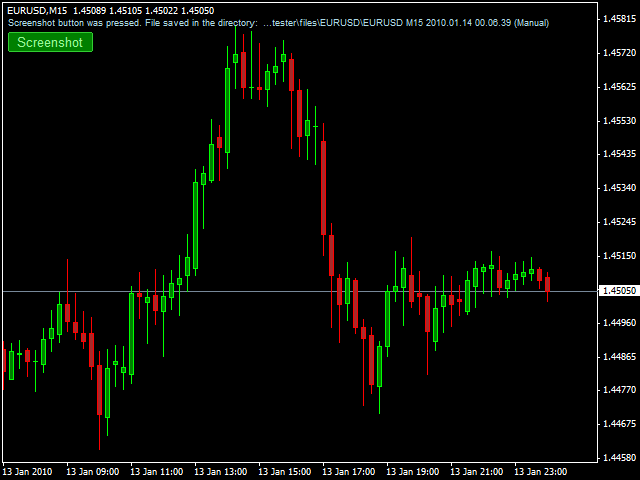
- Each time when a user clicks the "Screeshot" button.
Indicator Parameters
Settings Screenshot time
- Start Time (hh:mm) - sets the start time of indicator work.
- End Time (hh:mm) - sets the end time of indicator work.
If both value = 0 or Empty, the indicator work around the clock.
Auto Screenshot Settings
- Screenshot New Bar - if True, takes screenshots on each new bar (candle).
- Screenshot Interval (minutes) - if a nonzero value is specified, it takes screenshots after a certain time interval after Start Time.
Open/Close Orders Screenshot Settings
- Orders Type - take screenshot when orders are opened/closed by trading type: Manual, Auto, Both.
- ScreenshotSymbol - setting to saving Open/Close images for current pair or all traded pairs.
- Screenshot Open Orders - take screenshots when opening an order.
- Screenshot Close Orders - take screenshots when closing an order.
- Send Open/Close Mail - send an e-mail when an Expert Advisor opens/closes trades (if configured in the terminal settings).
Comments/Button settings
- Show Comments - show all indicator comments in the journal, on a chart and screenshots.
- Comments Position - set the corner of the chart to show comments.
- Notification Language - set comments language: English or Russian.
- Screenshot Button - show screenshot button "Screenshot" (three types) for manual work.
- Button Position - set the corner of the chart for the "Screenshot" button.
- Button Distance X - "Screenshot" button distance from the corner along the X axis.
- Button Distance Y - "Screenshot" button distance from the corner along the Y axis.
ScreenShot Size
- Width (X pixels) - image width along X in pixels.
- Height (Y pixels) - image height along Y in pixels.
Other settings
- CreateExtraFolder - select one of the options to create folders in the terminal root directory to store images.
- Symbol/Timeframe/Current week/
- Symbol/Timeframe/
- Symbol/Current week/
- Timeframe/Current week/
- Symbol/
- Timeframe/
- Current week/
- Set Picture Name - five variants of saved images names according to the sequence: Symbol, TF, Screenshot Type, Date and Time.
- Image_Format - type of file format for saving images: gif, png, bmp.
联系方式
公司:顺水的鱼外汇EA
状态:离线 发送信件 在线交谈
姓名:顺水的鱼(先生)
职位:投机客
电话:18391752892
手机:18391752892
地区:默认地区
地址:西安市高新区软件园
邮件:3313198376@qq.com
QQ:3313198376
微信:18391752892
阿里旺旺:顺水的鱼waterfish
Skype:3313198376@qq.com
状态:离线 发送信件 在线交谈
姓名:顺水的鱼(先生)
职位:投机客
电话:18391752892
手机:18391752892
地区:默认地区
地址:西安市高新区软件园
邮件:3313198376@qq.com
QQ:3313198376
微信:18391752892
阿里旺旺:顺水的鱼waterfish
Skype:3313198376@qq.com