


Mr Fibonacci
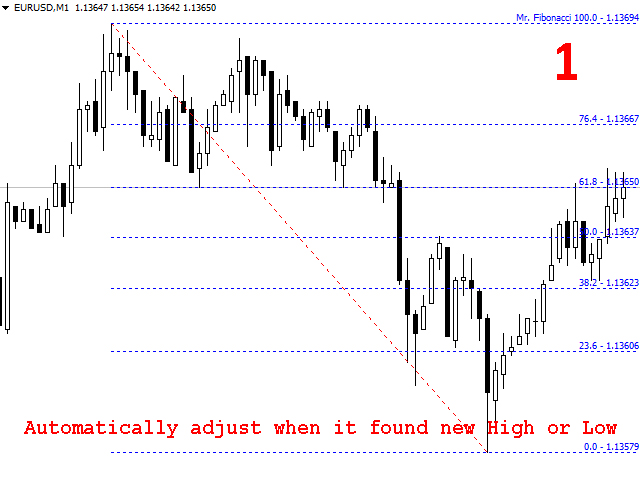
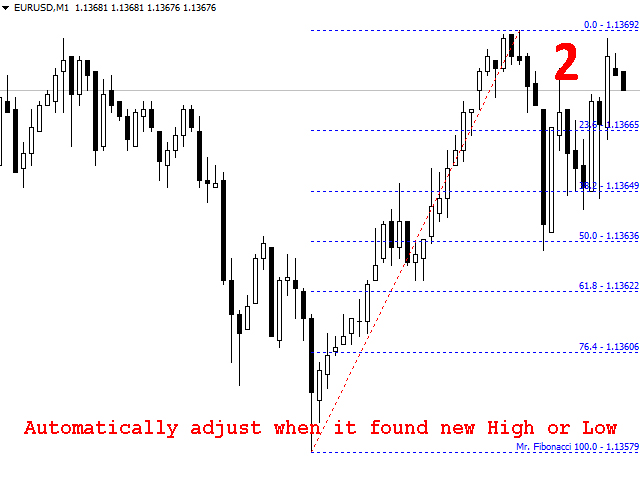
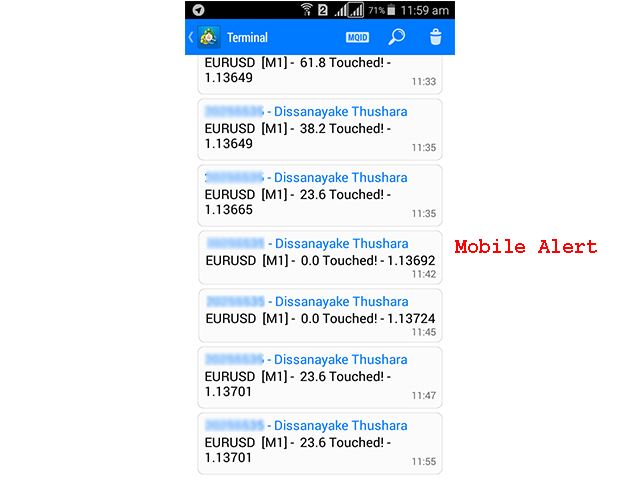
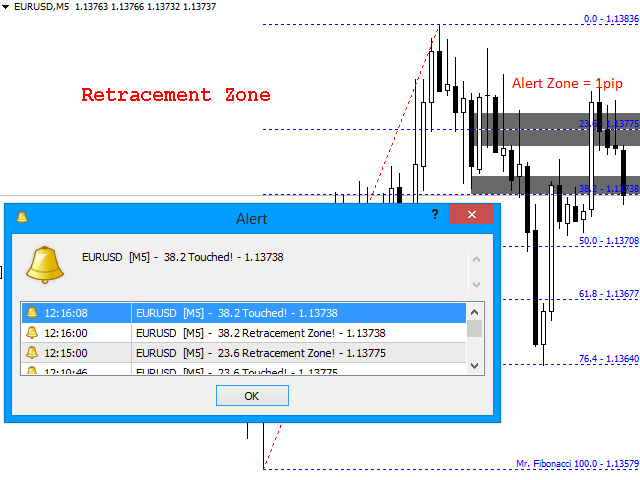
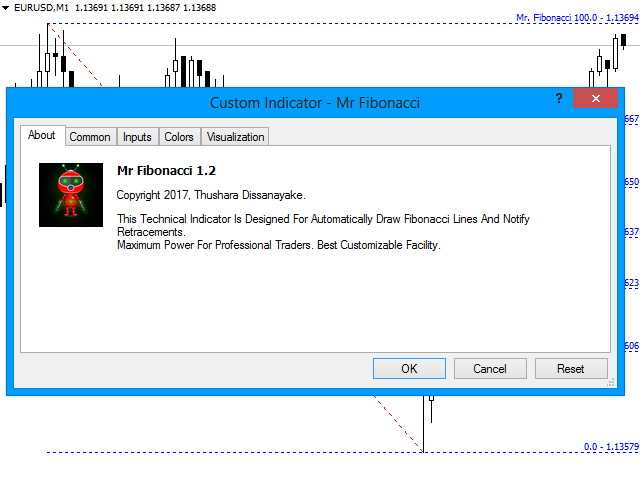
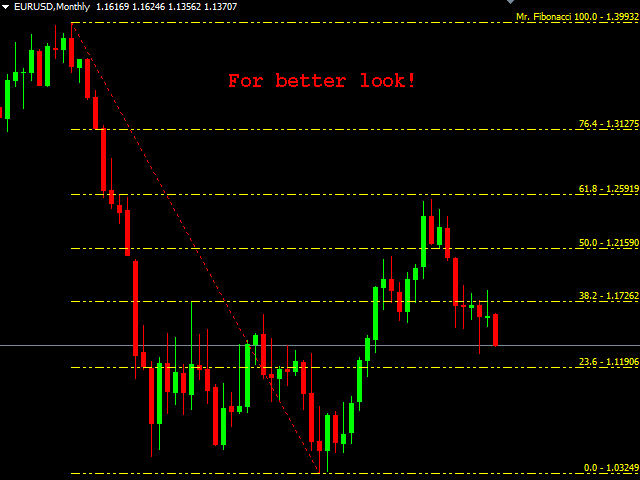
The Mr. Fibonacci is a amazing indicator that automatically draws and adjust Fibonacci levels on the chart. And It gives the best customization facility for professional traders to draw any Fibonacci level. As well as sending mobile notifications, emails and pop-up alert on Fibonacci Retracements.
How to use this great indicator for your trading life? Actually, you do not need to sit and wait until price touched Fibonacci levels. You can look about that after you received mobile notification or email alert! It will save your time. On the other hand draw the Fibonacci levels correctly point to point. That is the most important thing.
Features
- User friendly interface and quick access buttons
- Draw Fibonacci levels and automatically adjust each level
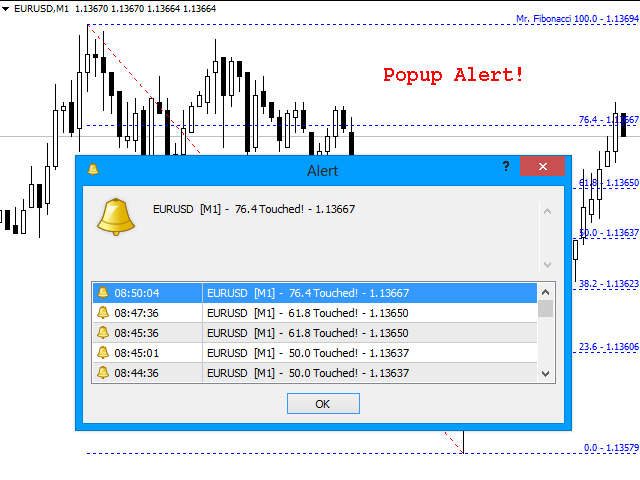
- Send Mobile, Email and Pop-up alert when price enters to Fibonacci levels
- Every alert Activate/ Deactivate function
- Most important Fibo Levels are included and customization facility
- User friendly parameters
Parameters
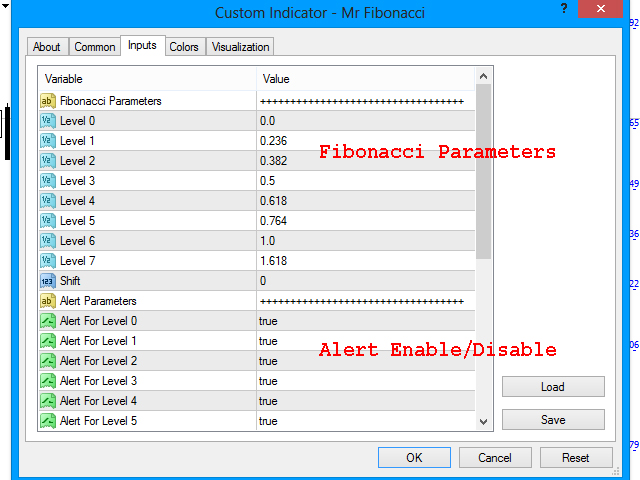
- Fibonacci Parameters
- Fibo Levels
- Level 0 - Fibo level 0 [0.0]
- Level 1 - Fibo level 1
- Level 2 - Fibo level 2
- Level 3 - Fibo level 3
- Level 4 - Fibo level 4
- Level 5 - Fibo level 5
- Level 6 - Fibo level 6 [100.0]
- Level 7 - Fibo level 7
- Fibo Level Filters
- Level 0-7 - Activate/ Deactivate fibo levels
- Fibo Other
- Auto Adjust - Activate/ Deactivate, Automatically adjust function
- Shift - Draw Fibonacci between last bar and given bar (Default: 0 = Window First Visible Bar)
- Step - Adjust Shift by [x] candles
- alert Parameters
- alert Types
- Mobile alert - Activate/ Deactivate, mobile notifications
- Popup alert - Activate/ Deactivate pop up message alerts
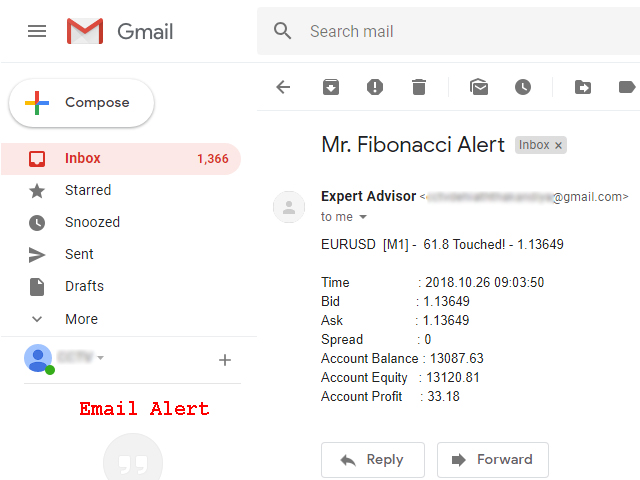
- Email alert - Activate/ Deactivate email alerts
- alert Filters
- Level 0-7 - Activate/ Deactivate alert for level 0 to 7
- alert Other
- alert Reset - The time period for notify the same level alert again
- alert Zone - Activate/ Deactivate, Fibonacci retracements alert on guess zone. (Example: Price touched 10pips behind the 23.6 level)
- alert Zone Margin - Margin level from Fibonacci level. (Example: 10pips)
- Graphic Parameters
- Theme Color 1-3 - Colors for buttons and others
- Line style 1 - Fibonacci line style 1
- Line Width 1 - Fibonacci line width 1
- Line Color 1 - Fibonacci line color 1
- Line style 2 - Fibonacci line style 2
- Line Width 2 - Fibonacci line width 2
- Line Color 2 - Fibonacci line color 2
- X Distance - X coordinate for indicator name
- Y Distance - Y coordinate for indicator name
- Panel - Activate/ Deactivate button panel
- Fibonacci - Activate/ Deactivate Fibonacci levels
In order for Email alert, Enable sending emails in the MT4 Options. Also, specify the email login and password in the settings. For example, if you use the Gmail,
- SMTP server - smtp.gmail.com
- SMTP login - Email address
- SMTP password - Email password
- From - Same email address
- To - Same email address again.
More details on setting up email notifications can be found here.
In order for Push Notifications, install the mobile version of metaTrader and specify its metaQuotes ID in the MT4 Options. More details on setting up push notifications can be found here.
 nload="if(window.viewGallery_GalleryManager) viewGallery_GalleryManager.ImageonLoad(this,7);" />
 nload="if(window.viewGallery_GalleryManager) viewGallery_GalleryManager.ImageonLoad(this,8);" />
 nload="if(window.viewGallery_GalleryManager) viewGallery_GalleryManager.ImageonLoad(this,9);" />
状态:离线 发送信件 在线交谈
姓名:顺水的鱼(先生)
职位:投机客
电话:18391752892
手机:18391752892
地区:默认地区
地址:西安市高新区软件园
邮件:3313198376@qq.com
QQ:3313198376
微信:18391752892
阿里旺旺:顺水的鱼waterfish
Skype:3313198376@qq.com