


Orders Info Sender to Email
This Expert Advisor sends a message to your E-mail address with information about all changes with working orders.
It may be an address used in your mobile phone or tablet or just a working E-mail in your desktop. If your trade account is subscribed to a signal or you use an Expert Advisor, this tool will allow you to always be aware of what is happening in your terminal.
In this utility, there is only one option - subject of the message. When it is used on multiple terminals, you can specify, say, an account number or a dealing center name.
The EA is attached to any chart in the terminal and with any period. I recommend using a pair that receives new quotes more frequently. In my opinion, these are base pairs like EURUSD or GBPUSD.
Settings
To make sure your MT could send e-mails, open the terminal settings and fill the e-mail parameters in the Email tab. Then, check the Enable box.
Sample settings for Gmail.com.
- Server SMTP: smtp.gmail.com:465
- SMTP login: your_username
- SMTP password: your_password
- From: your_email
- To: your_email
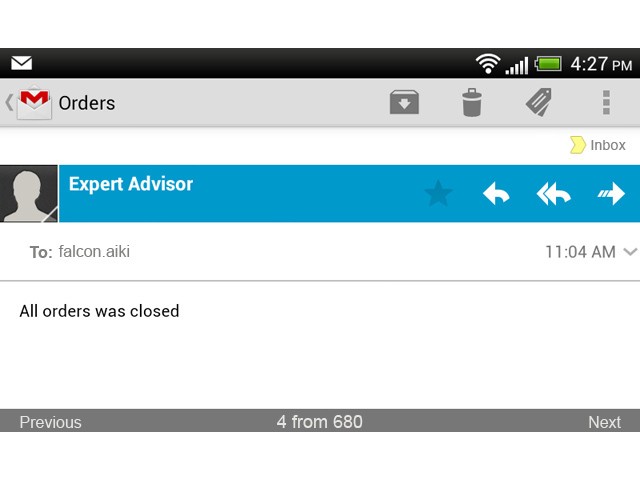
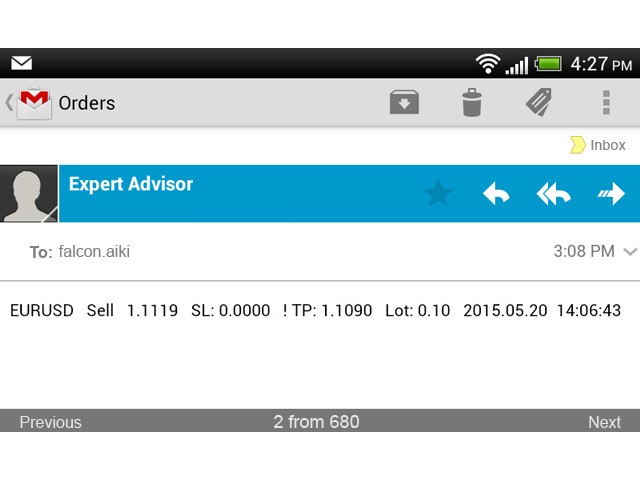
Below is a screenshot from my mobile phone and an example of a message sent by the EA. An exclamation mark before TP or SL means that the value has changed.
状态:离线 发送信件 在线交谈
姓名:顺水的鱼(先生)
职位:投机客
电话:18391752892
手机:18391752892
地区:默认地区
地址:西安市高新区软件园
邮件:3313198376@qq.com
QQ:3313198376
微信:18391752892
阿里旺旺:顺水的鱼waterfish
Skype:3313198376@qq.com