


Statistics Demo
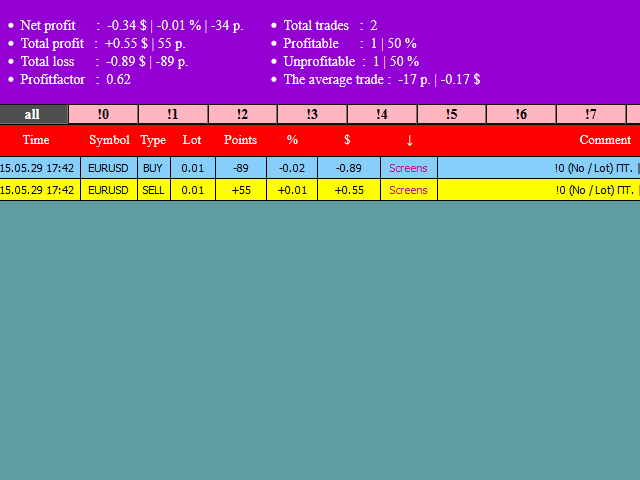
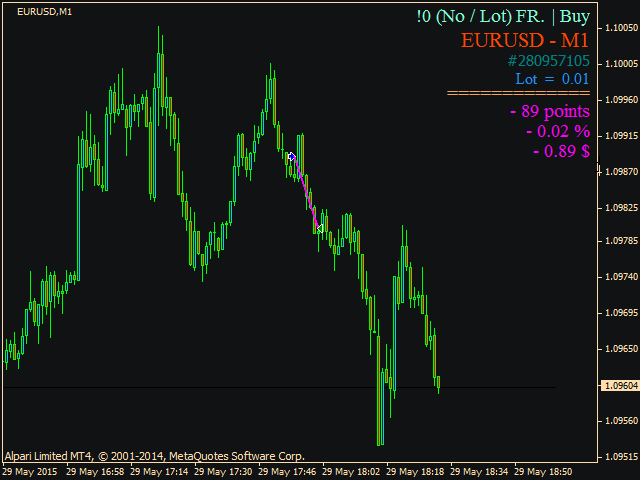
The product records performed trades, makes screenshots of all timeframes and creates a report.
It can be launched only on one chart. To make a screenshot, the EA opens a necessary chart, makes a screenshot and closes it.
Create a template named 'screen' with your chart settings. It will be applied to screenshots.
Orders having an exclamation mark and a number from 0 to 9 in the comment are displayed in a separate tab.
To view the stats, launch the file: Terminal/File/Open Data Folder/MQL4/Files/account number/index.html
It is advisable to make a shortcut or add to browser bookmarks.
If you click RESET in the upper right corner of the chart, the stats are reset and the report starts from that new point in time.
The settings allow you to configure the amount of bars after closing an order to make screenshots. You can also define their size.
In this demo version, screenshots are made only for USDCAD. The full version is here - https://www.mql5.com/en/market/product/9837

状态:离线 发送信件 在线交谈
姓名:顺水的鱼(先生)
职位:投机客
电话:18391752892
手机:18391752892
地区:默认地区
地址:西安市高新区软件园
邮件:3313198376@qq.com
QQ:3313198376
微信:18391752892
阿里旺旺:顺水的鱼waterfish
Skype:3313198376@qq.com