


Log4MQL logger
For full product description go to Comments tab.
metaTrader and its MQL4/5 language is great for developing of automated trading systems. But I was missing some support for logging of custom messages and information during run of some trading system, custom scripts or indicators. One of the possibilities is to use Print function and then read messages in Journal window. Disadvantages of this Journal window are:
- it is slowly refreshed when you print out many messages
- it cannot be searched
- it is deleted after exit of metaTrader
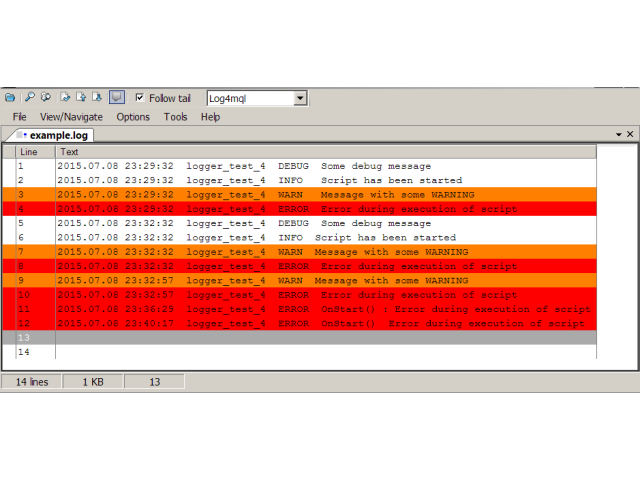
- you can not add priorities to you messages and use some highlighting features
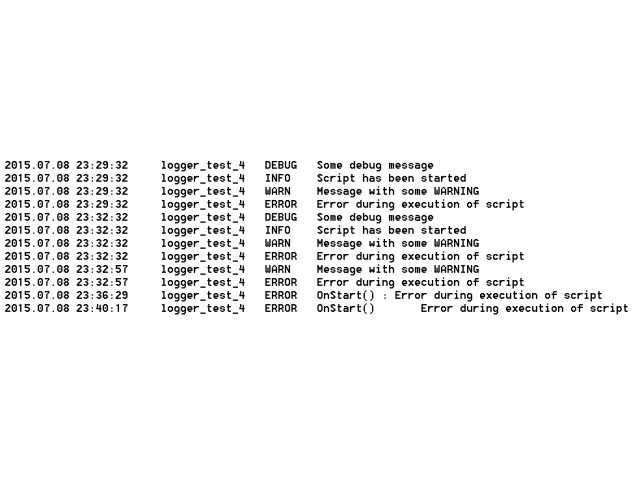
- message logging to custom external file that can be archived, sent by email, read by some scripts etc.
- four message levels DEBUG, INFO, WARN, ERROR
- log files can be displayed by some third party log parsers and use its highlighting features
- fast writing to output log files, log messages are immediately written to log files (no useless lags)
- simple API, simple include to your code and of course simple use
How to use it?
1) Download and install Log4mql
Download and install Log4mql from the Market.
2) Include / import Log4mql to your MQL code
The Log4mql.mqh file contains specification of logger public interface, its methods, class constructor and destructor. Logger itself is implemented in the file Log4mqlImpl.ex4
File Log4mql.mqh needs to be downloaded or manually created (check comments tab for more details)
Code snippet below shows how to include logger to your code#include "../libraries/Log4mql.mqh"
#import "../libraries/Log4mqlImpl.ex4"
Log4mql *Log4mqlImpl();
Log4mql *Log4mqlImpl(string filename, string level, string delimiter);
#import
状态:离线 发送信件 在线交谈
姓名:顺水的鱼(先生)
职位:投机客
电话:18391752892
手机:18391752892
地区:默认地区
地址:西安市高新区软件园
邮件:3313198376@qq.com
QQ:3313198376
微信:18391752892
阿里旺旺:顺水的鱼waterfish
Skype:3313198376@qq.com