

Pro Trade Panel for MT4
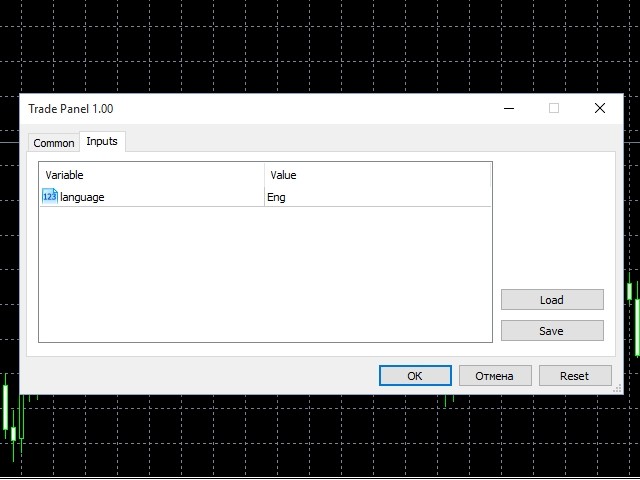
The panel is designed for quick and easy one-click trading. You only need to set all necessary parameters and enjoy trading! Russian and English languages are supported.
The panel consists of four tabs:
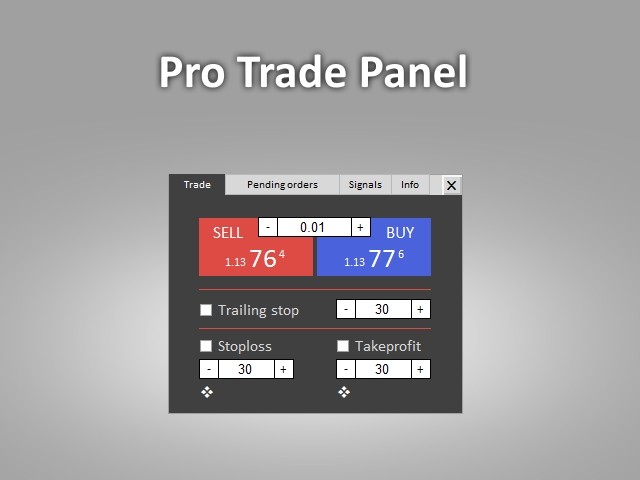
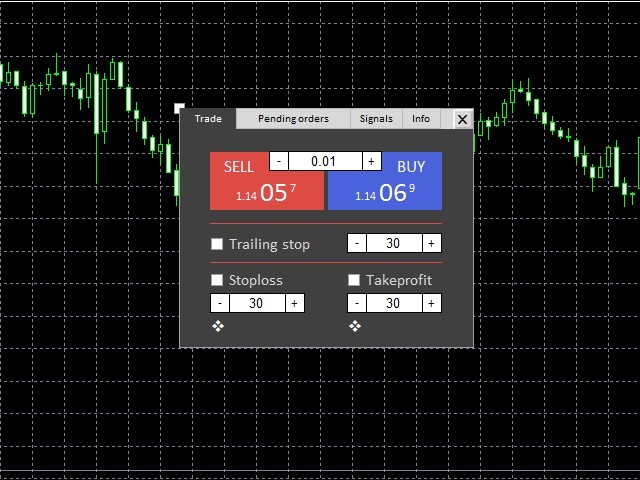
1. Trade
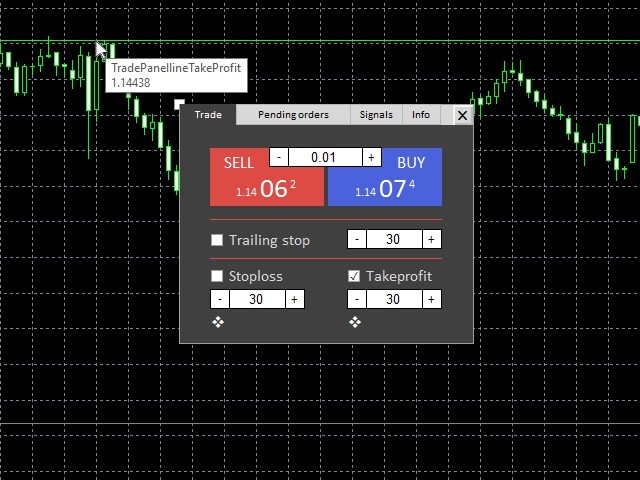
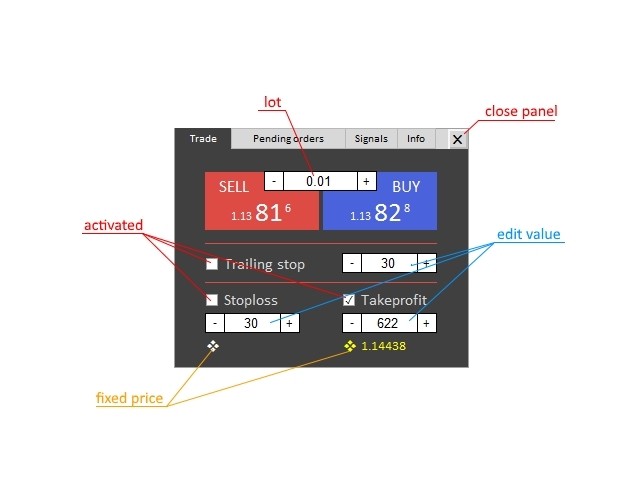
This is a tab for performing standard trade operations: opening buy and sell deals. Deals are opened at the current symbol.
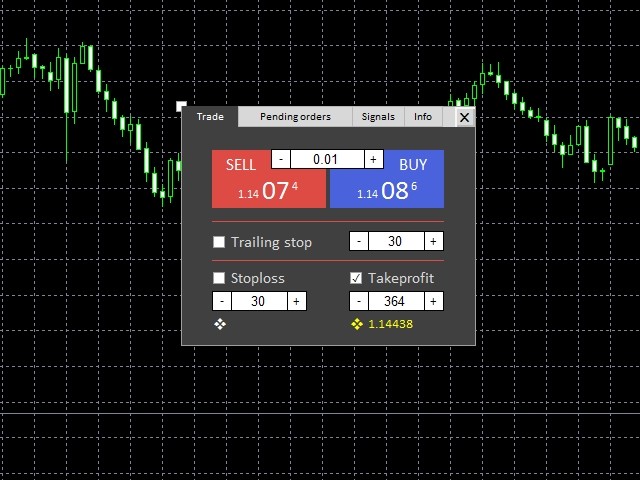
You can specify TakeProfit, StopLoss and Trailing stop for each deal. To do this, tick the necessary option. The values are entered in points in the input field or by clicking +/– buttons.
TakeProfit and StopLoss values can be specified in price instead of points. To do this, click the move icon below the text field. The line appears. Set the line to a desired level and click on a chart. The price is set. To reset it, edit the text field.
Trailing stop starts from a breakeven level. It is applied to an entire deal and is active till Trailing Stop option remains ticked on the panel.
2. Pending orders
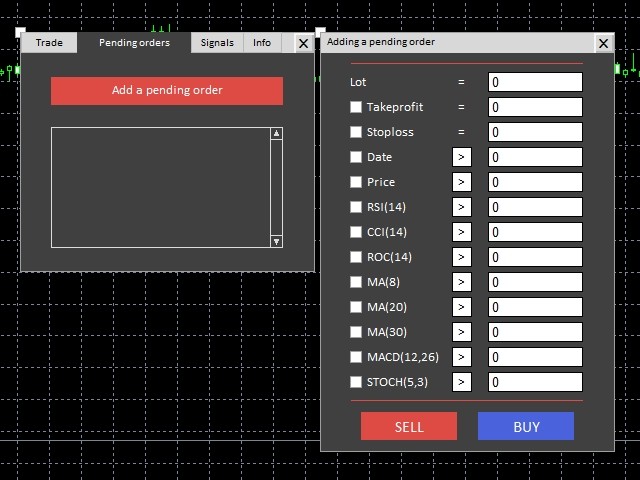
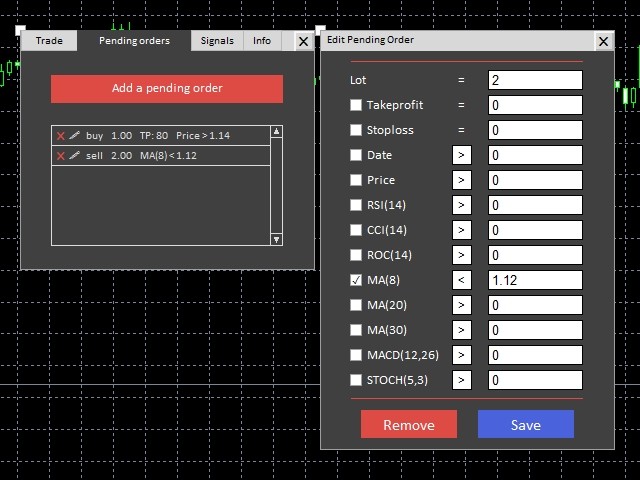
Here you can add pending orders. Unlike ordinary ones, each pending order can be accompanied by several parameters simultaneously: lot volume, TakeProfit, StopLoss, price, date, and indicators. For each parameter, you can specify under what conditions an order should be opened (current value >,< or = specified). You can combine the parameters by enabling them and setting their values. An order is opened when all specified conditions are met.
There are no such things as Buy Stop, Buy limit and the like here. To implement them, specify the necessary price value and select > or <.
After the panel, a chart or the application is closed, all saved pending orders are deleted.
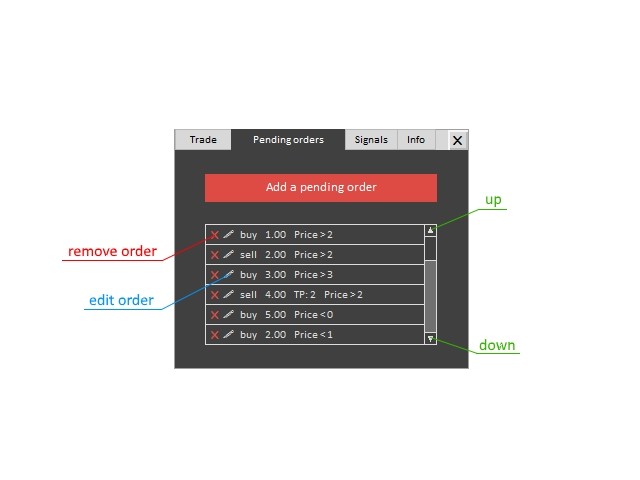
To add a pending order, click "Add a pending order" button, enter and activate necessary parameters, select an order opening condition (to switch a condition, simply click >,<,=), and click Buy or Sell.
To edit a pending order, click a pencil-shaped icon in the list of pending orders. After editing, click Save.
To delete a pending order click X or Delete button while editing.
Use up and down arrows to look through the list of pending orders.
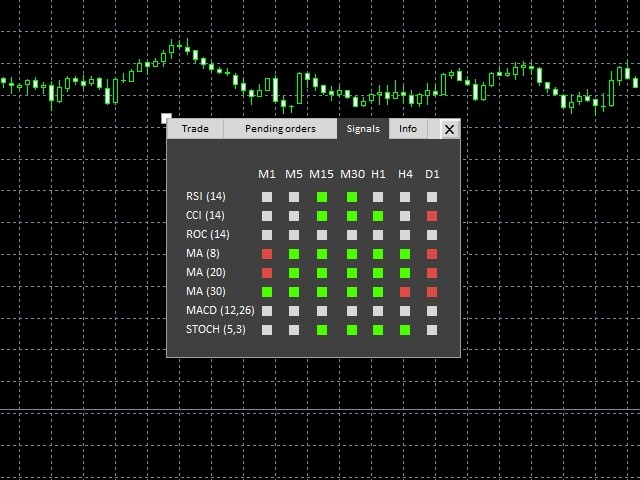
3. Signals
The window displays the signals based on popular indicators. The signals are displayed on several timeframes. Red color is a signal to sell, green color is a signal to buy, while gray means there is no signal.
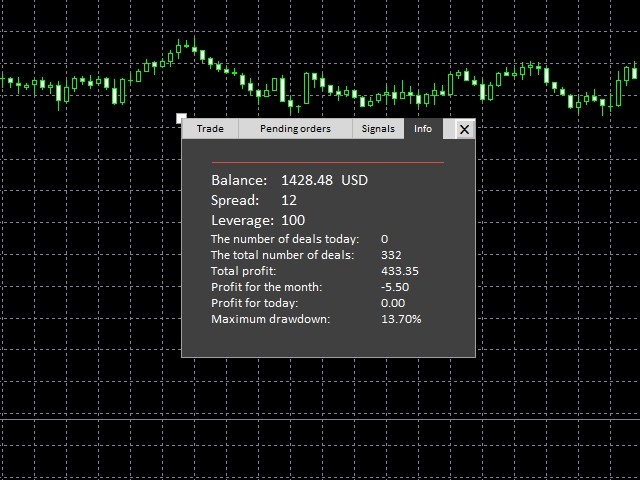
4. Info
The tab displays basic data on your account:
- Balance
- Spread
- Leverage
- Amount of deals for different periods
- Profit for different periods
- Maximum balance drawdown
You can move the panel by double-clicking on an empty space and dragging. To fix the panel at a place, double-click an empty space within the panel again.
Attention! To test the panel, download a demo version here: Pro Trade Panel for MT4 Demo.
 nload="if(window.viewGallery_GalleryManager) viewGallery_GalleryManager.ImageonLoad(this,7);" />
 nload="if(window.viewGallery_GalleryManager) viewGallery_GalleryManager.ImageonLoad(this,8);" />
 nload="if(window.viewGallery_GalleryManager) viewGallery_GalleryManager.ImageonLoad(this,9);" />
 nload="if(window.viewGallery_GalleryManager) viewGallery_GalleryManager.ImageonLoad(this,10);" />
 nload="if(window.viewGallery_GalleryManager) viewGallery_GalleryManager.ImageonLoad(this,11);" />
状态:离线 发送信件 在线交谈
姓名:顺水的鱼(先生)
职位:投机客
电话:18391752892
手机:18391752892
地区:默认地区
地址:西安市高新区软件园
邮件:3313198376@qq.com
QQ:3313198376
微信:18391752892
阿里旺旺:顺水的鱼waterfish
Skype:3313198376@qq.com