


Synchronized Cross
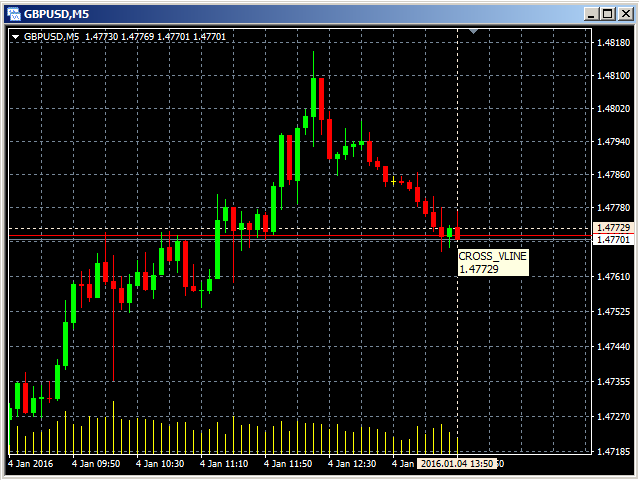
The Synchronized Cross indicator allows you to link cross hairs from multiple chart windows. This means that as you move the cross hair in one chart, all other cross hairs will move together by automatically staying on the same time.
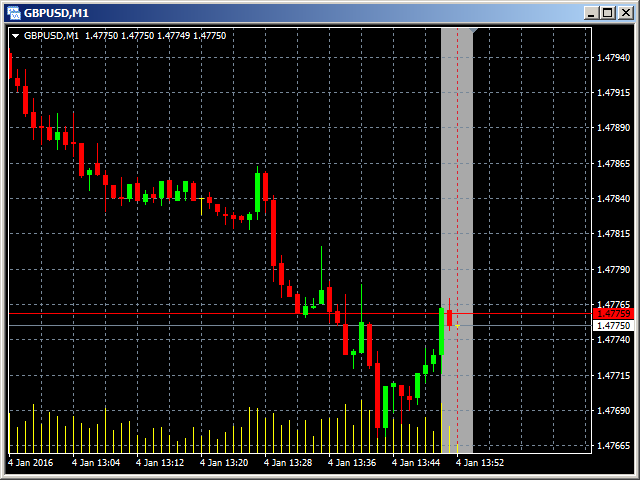
If, for example you are moving your mouse cursor in a M5 timeframe (see screenshots), the crosshair will show as a line in the higher timeframes, and as an area in the lower timeframes. Thus making it easier to correlate timeframes.
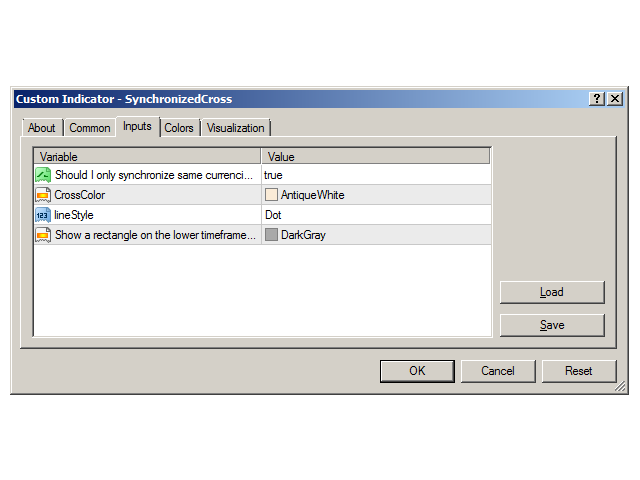
The input parameters are self explanatory, basically colors and line styles.
But you can also synchronize your crosshair among different currencies for people hedging their positions across different currencies. Just set the parameter to false.
Comments are always welcome to improve this indicator further.
Parameters
- Should I only synchronize same currencies?: Set to true to only show the cross in the same currency as the one with the indicator, false to show it everywhere.
- CrossColor: color of the cross
- lineStyle: line style of the cross
- Show a rectangle on the lower timeframes in this color: background color of the rectangle in the lower timeframe
状态:离线 发送信件 在线交谈
姓名:顺水的鱼(先生)
职位:投机客
电话:18391752892
手机:18391752892
地区:默认地区
地址:西安市高新区软件园
邮件:3313198376@qq.com
QQ:3313198376
微信:18391752892
阿里旺旺:顺水的鱼waterfish
Skype:3313198376@qq.com