


KL Easy Order
The tool facilitates placing any type of the order in accordance with risk management. Placing the orders according to risk management could not be easier.
How to use Easy Order
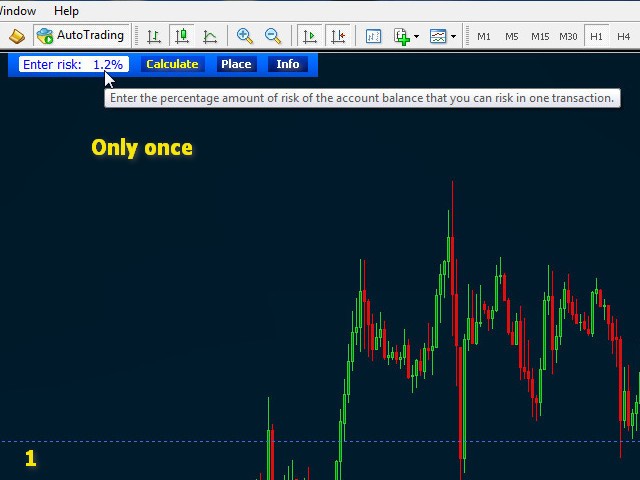
First, in EASY ORDER panel by clicking, select and enter your new percentage value of account balance risked in one trade. Risk value can be set from 0.1% and it is resistant to metatrader platform restart.
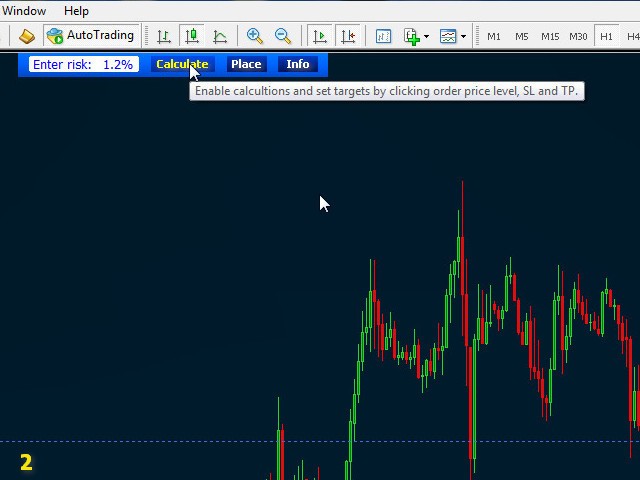
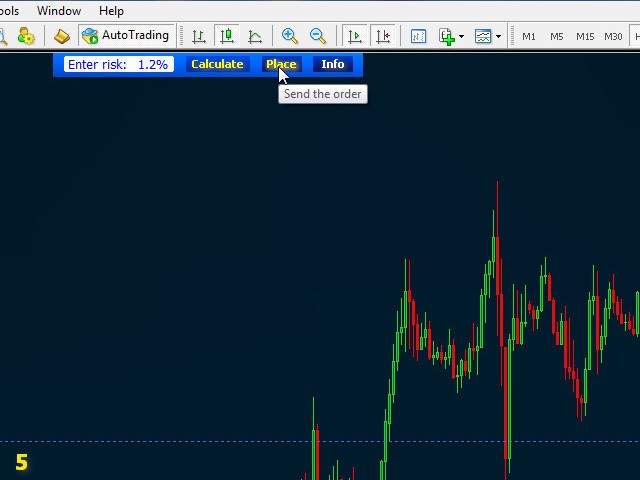
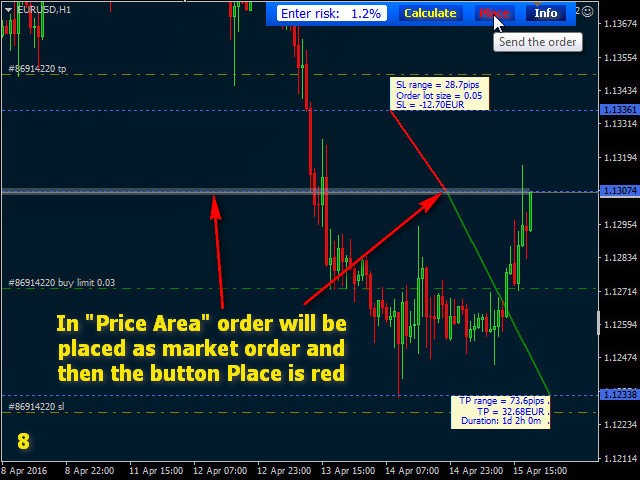
If button Calculate is clicked, then you should see transparent „Price Area” (price spread + broker minimal distance to price + added by you additional pip distance), if not then change chart time frame to lower. Price Area can’t be smaller than the spread or minimal distance to current price level set by broker. In order to facilitate placing market orders on higher time frame or if spread area is too small you can increase the Price Area by additional pip value in settings. Every order placed in Price Area will be placed at the market, so the size of the zone is not relevant – set this area to be comfortable for you.
Placing orders on the chart
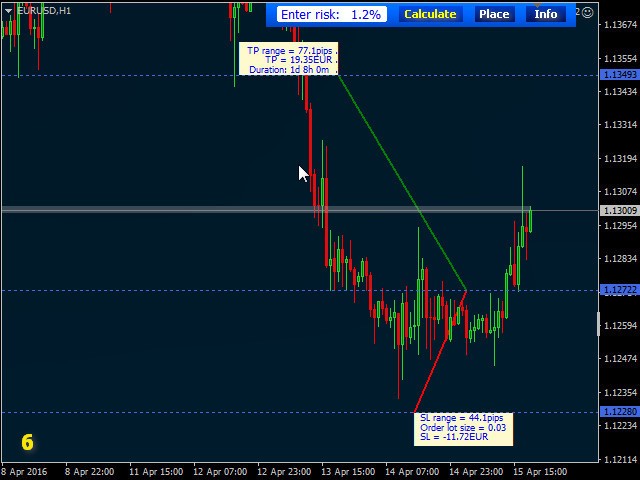
If the button Calculate is pressed, then by clicking you can start to draw the order according to what you see on the chart.
Choose your order price level; it can be nearest support or resistance, or what you want. If price will be placed in Price Area then order potentially will be placed at the market, but In this case you should be aware of price movement.
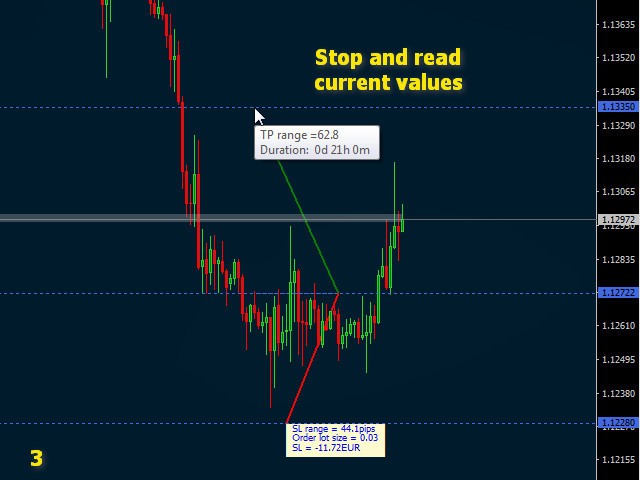
Next you need to select stop loss level. It can be below nearest bottom or above any top, consolidation or what you like. While you are placing the stop loss and you pause mouse pointer movement, then you can read its value as tip. When you click mouse button, then your stop loss is set. After that place the take profit in the same way as stop loss.
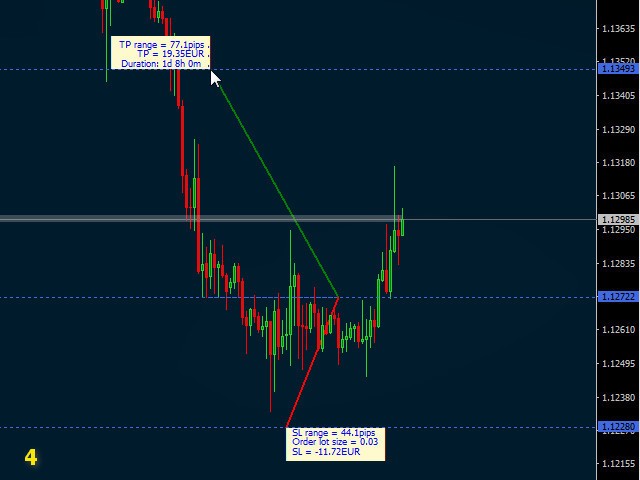
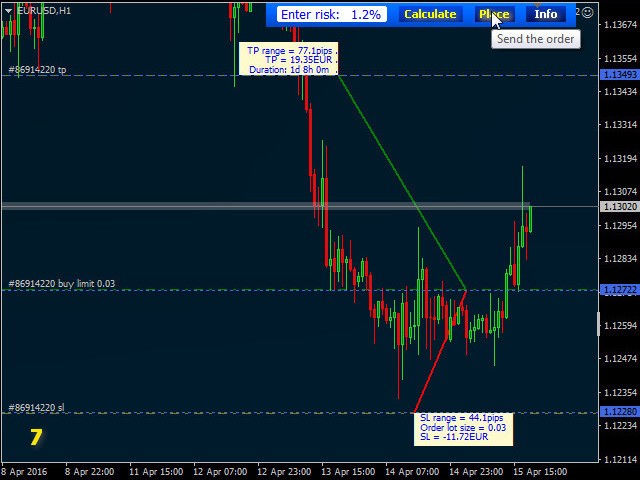
After three clicks your potential order is ready for sending and now you can assess its probability by reading label values. If the order does not met your expectations then press key Esc or Delete and start drawing the order again. In other case by key Enter or button Place you will place the order. If you want to take a screen shot for trading history press key P. Comment in upper left corner of the chart will inform you were the screenshot was saved.
Features
- Easy Order prevents you from risky trading by Risk Management from 0.1% of account balance per one trade.
- You are placing orders with the appropriate lot size, SL and TP calculated according to what you draw on the chart.
- The lot size of the order is calculated according to the broker permitted minimum, maximum and lot step.
- Before sending the order, from labels of SL and TP you can assess trade parameters, its probability and approximate future duration if the order was drawn according to previous swings.
- Easy Order accelerates and facilitates placing the orders, all very easily, all in three mouse clicks. The fourth click or key Enter is sending the order.
Additional features
- By key ‘P’ you can take a screen shot of current chart.
- You can change lines colours, width and font size for labels.
- You can switch on/off additional lines of holidays and weekend occurrence.
- You can set colour and transparency of ‘Price Area’.
- EASY ORDER can set chart properties automatically.
- You can change colour of EASY ORDER panel and set chart wallpaper.
Free version that is working only on CADCHF pair you will find here - https://www.mql5.com/en/market/product/16211
 nload="if(window.viewGallery_GalleryManager) viewGallery_GalleryManager.ImageonLoad(this,7);" />
 nload="if(window.viewGallery_GalleryManager) viewGallery_GalleryManager.ImageonLoad(this,8);" />
状态:离线 发送信件 在线交谈
姓名:顺水的鱼(先生)
职位:投机客
电话:18391752892
手机:18391752892
地区:默认地区
地址:西安市高新区软件园
邮件:3313198376@qq.com
QQ:3313198376
微信:18391752892
阿里旺旺:顺水的鱼waterfish
Skype:3313198376@qq.com