


Calc1D
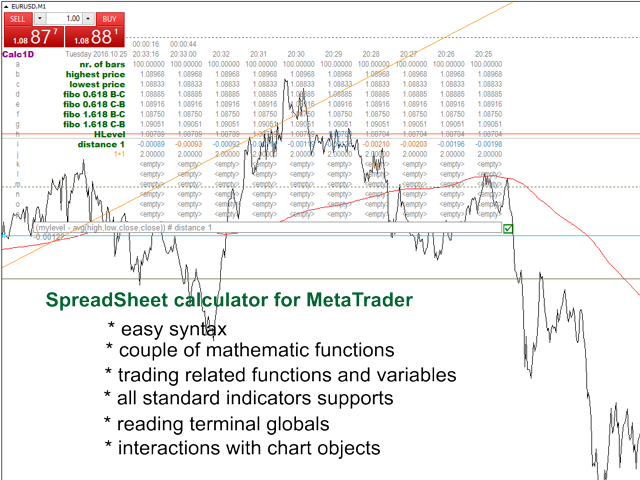
Spreadsheet for the trader and programmer. Interacts with chart objects. All mathematical functions and standard indicators of the terminal are available. It allows you to automate routine operations, like marking the chart, calculation of trades, analysis of the market situation.
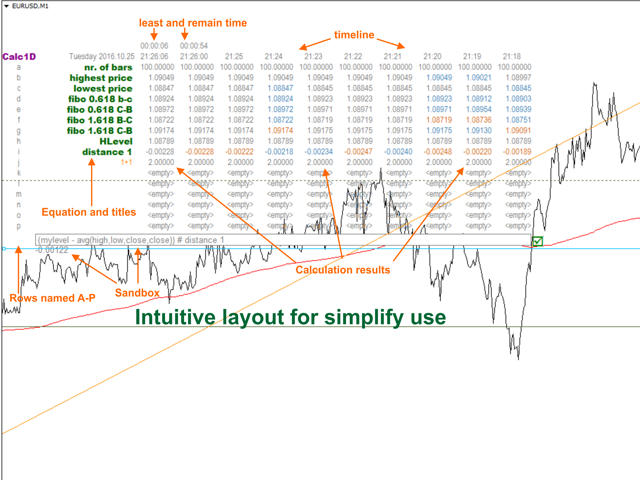
Calc1D is displayed as a table in the chart window, each row of the table is a named formula, which can be accessed by name, columns represent history bars. The user can set arbitrary calculations. Formulas are written in a natural form, supported operators are: + - / *, that is, addition, subtraction, multiplication, division. It also supports all math functions of the terminal and its built-in indicators, as well as many additional functions and constants.
Examples of calculations:
- 1+2*(pi + 1): a simple expression with parentheses and constant pi
- level+20*point: a value 20 higher than level,
- avg(high,low,close,close) - double wighted bar price
Parameters of Calc1D
Calc1D has only one parameter:
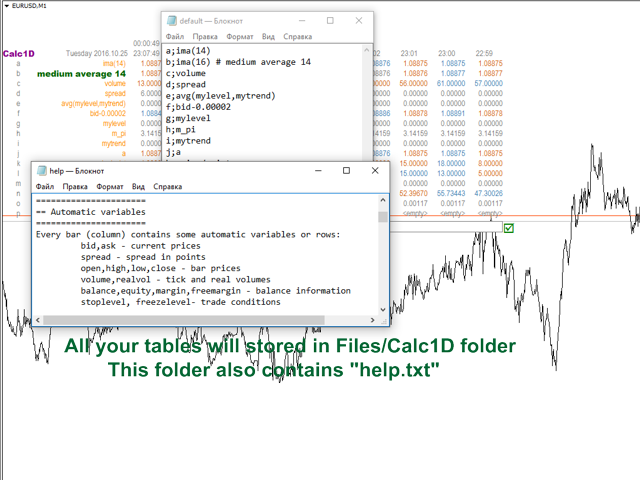
- SHEET - the name if the spreadsheet. Default is "default". All the tables are stored in the subdirectory "Calc1D" of the data folder in the form of CSV files and they can be edited using third-party software.
Interaction with chart objects
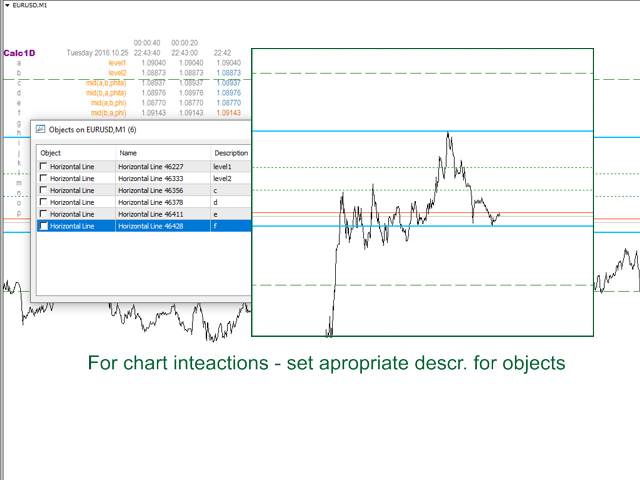
In order for Calc1D to be able to read information from an object placed on a chart (trend or horizontal lines), add a simple description to them in Latin letters. This name can be used as a variable in the table. For example, if the trend line description is "mytrend", the formula "mytrend+50*point" will give the value of 50 points higher than the current level of the line.
In order for Calc1D to be able to modify (move) levels, set the level description equal to the row name (from A to P).
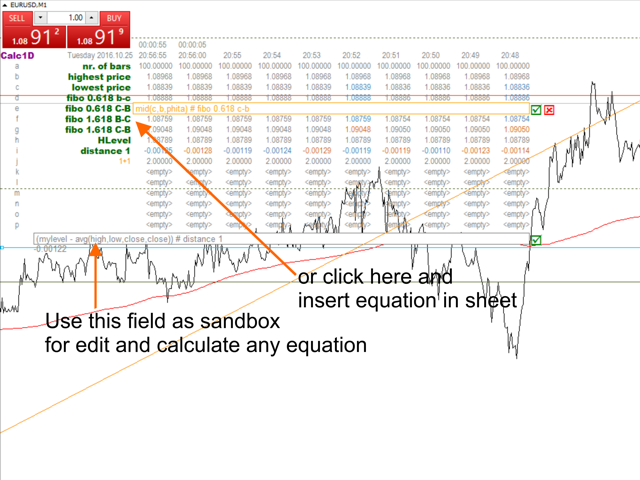
Example of the table, that marks Fibonacci levels:
| COLUMN NAME |
FORMULA |
|---|---|
| A |
level1 |
| B |
level2 |
| C |
mid(A,B,phita) |
| D |
mid(B,A,phita) |
| E |
mid(A,B,phi) |
| F |
mid(B,A,phi) |
Now, if you add to the chart 2 horizontal lines with descriptions of "level1" and "level2", then when you move them, the values of C, D, E, F will change (will be calculated).
And if you additionally add levels with descriptions "C" "D" "E" "F", they will be automatically added at the calculated levels
Getting market information
Built-in variables and constants allow obtaining market information:
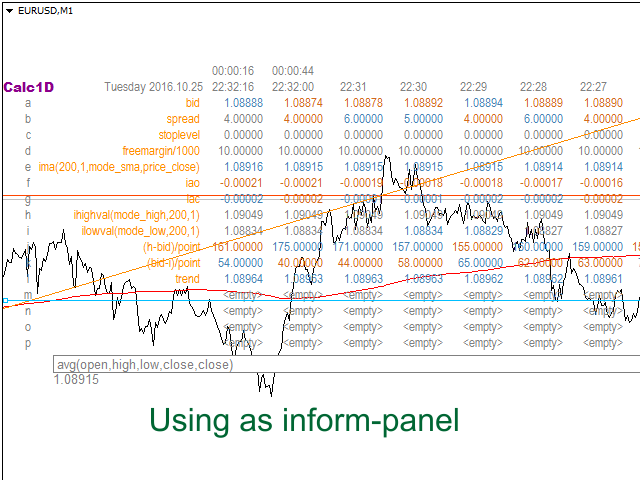
- bid, ask, open, high, low, close, volume, realvol, spread represent appropriate prices, bar volumes and spread;
- balance, equity, margin, freeMargin, stopLevel, freezeLevel, tickSize, minLot, maxLot, lotStep - current market conditions.
Built-in functions, constants, and indicators
After the first launch, Calc1D forms file "help.txt" in the directory Files/Calc1D, which contains the list of all variable, functions and constants implemented in the current version.
Indicators:
- MT indicators: ihighest, ilowest, iac, iad, iadx, iao, iatr, ibears, ibands, ibulls, icci, idemarker, iforce, ifractals, ibwmfi, imomentum, imfi, ima, iosma, imacd, iobv, isar, irsi, irvi, istddev, istochastic, iwpr
All indicators are only calculated for the current symbol and timeframe, the offset value is taken based on the column number (bar). All other parameters and their defaults are similar to MQL.
For example calling in calculator "ima(200,1,mode_smma,price_median)" is similar to calling the MQL function "iMA(_Symbol,_Period,200,1,MODE_SMMA,PRICE_MEDIAN,0)". That is, no need to specify the first two parameters, and the last one, in all other respects they are the same.
状态:离线 发送信件 在线交谈
姓名:顺水的鱼(先生)
职位:投机客
电话:18391752892
手机:18391752892
地区:默认地区
地址:西安市高新区软件园
邮件:3313198376@qq.com
QQ:3313198376
微信:18391752892
阿里旺旺:顺水的鱼waterfish
Skype:3313198376@qq.com