


Adaptive Price Action EA
This expert advisor is using price action strategy to enter the market. It analyze the market patterns and support resistance on several time frames and prepare the trades by using pending orders. It's a unique EA robot that uses no grid, no martingale, no arbitrage, no hedges, no tick scalping, no indicators whatsoever and the best part is running fully automatic. It is an advanced EA that write logs of how many pip slippage occurred and how much time needed in milliseconds to execute orders.
You can start to use the EA with small balance and it trades perfectly with balance under 100 USD. Recommended broker is ECN with low spread and high leverage. Not only USD base currency you can use for your account, it has a smart money management system that allow you to use GBP, Euro or AUD base currency mt4 trading account.
Input Parameters
- Lot = intended for fixed lot trade
- Autolot = true or false, for automatic lot size calculation. If set to True, the EA ignore the fix lot size setting.
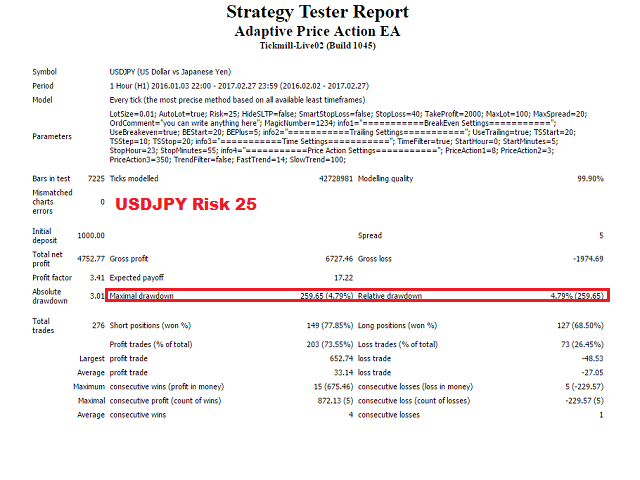
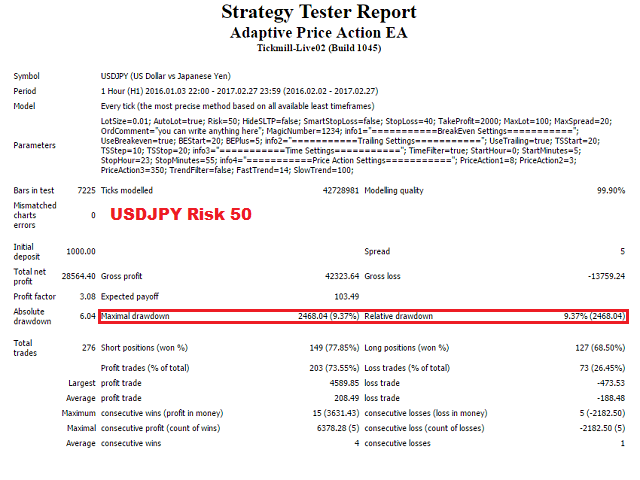
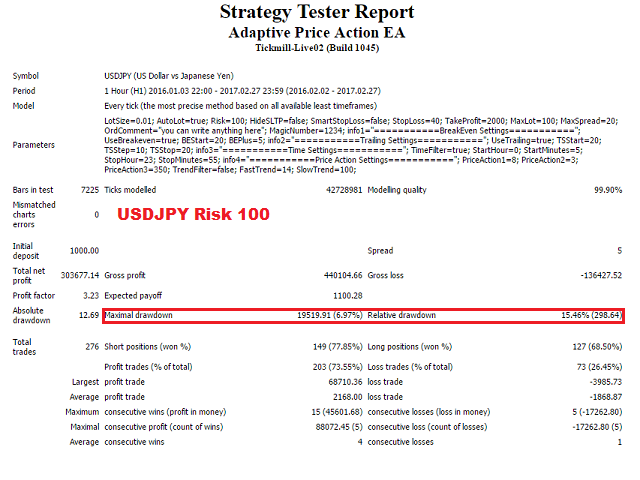
- Risk = used with autolot true. If you set 10, then it will trade 1 lot per 10K balance. If you set 20, then it will trade 2 lot per 10K balance and so on.
- HideSLTP = Set it to true if you want to hide the stop loss and take profit point from broker.
- SmartStoploss = it calculate stop loss from certain support resistance on multiple time frame that is coincide. Default setting is false to keep drawdown low.
- StopLoss = is the amount of stop loss in points.
- TakeProfit = is the amount of take profit in points
- MaxLot = is the maximum lot per trade. You can use this feature if you want to limit your maximum lot per trade.
- MaxSpread = is the maximum spread that the EA will tolerate.
- OrdComment = is the order comment.
- MagicNumber = is the magic number. Each order will be identified with unique magic numbers. Please use different magic numbers for each pair.
- UseBreakeven = you can set break even true/false here.
- BEStart = is the amount of points/pips profit before the EA will move the EA to breakeven points.
- BEplus = is the amount points/pips profit as breakeven.
- Trailing = You can set trailing true or false here.
- TSstart = trailing start
- TSstep = trailing step
- TSstop = trailing stop
- TimeFilter = you can set time filter true/false. It is recommended to keep it true with default setting.
- StartHour = the hour which the EA will start to work
- StartMinutes = the minute which the EA will start to work
- StopHour = the hour which the EA will stop to work
- StopMinutes = the minutes which the EA will stop to work
- PriceAction1 = first signal for entry
- PriceAction2 = second signal for entry
- PriceAction3 = third signal for entry
- TrendFilter = you can set true or false here to filter the trend by using 2 EMAs FastTrend and SlowTrend below. If set to true, the EA will only place pending orders according to the trend. Default setting is false, trade purely based on price action.
- FastTrend = Fast EMA
- SlowTrend = Slow EMA
Performance monitoring: https://www.mql5.com/en/users/alchemist/seller
You can find set files for each pair in the comments page and please feel free to write me private message to get personal support.b>


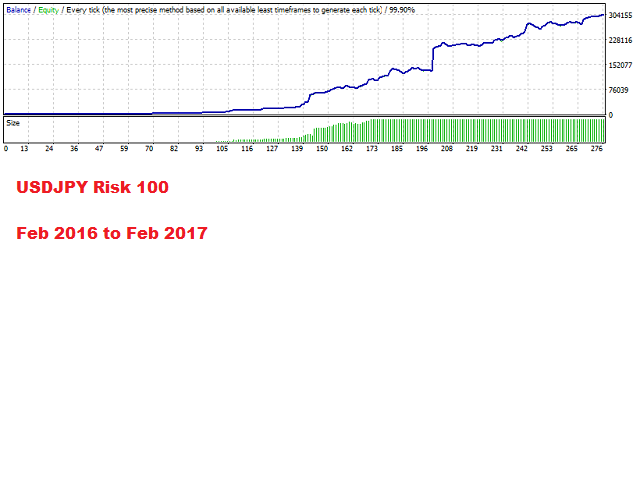 nload="if(window.viewGallery_GalleryManager) viewGallery_GalleryManager.ImageonLoad(this,7);" />
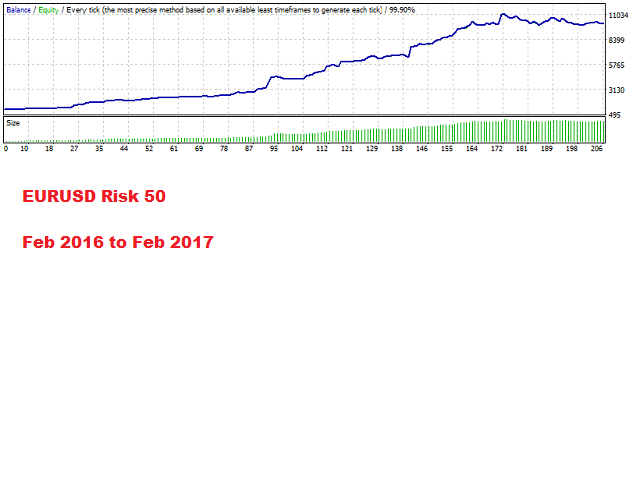 nload="if(window.viewGallery_GalleryManager) viewGallery_GalleryManager.ImageonLoad(this,8);" />
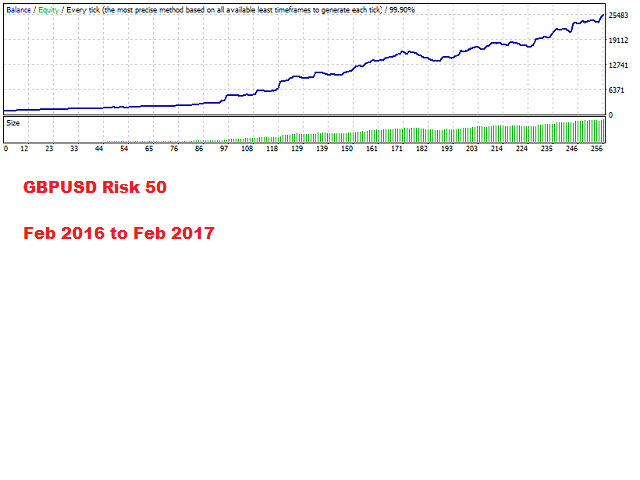 nload="if(window.viewGallery_GalleryManager) viewGallery_GalleryManager.ImageonLoad(this,9);" />
状态:离线 发送信件 在线交谈
姓名:顺水的鱼(先生)
职位:投机客
电话:18391752892
手机:18391752892
地区:默认地区
地址:西安市高新区软件园
邮件:3313198376@qq.com
QQ:3313198376
微信:18391752892
阿里旺旺:顺水的鱼waterfish
Skype:3313198376@qq.com