

Bollinger and trend corrections
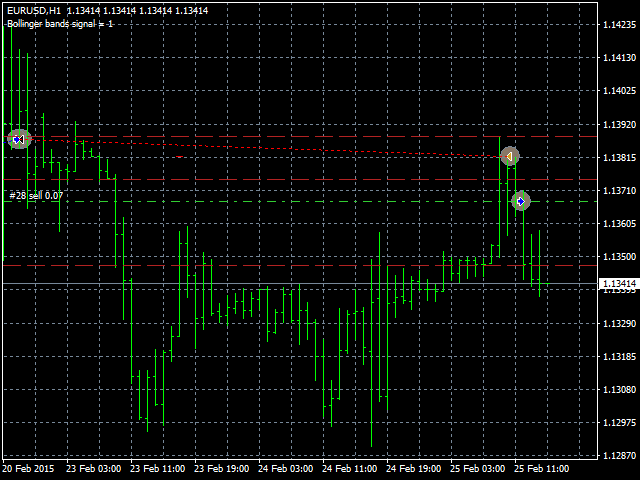
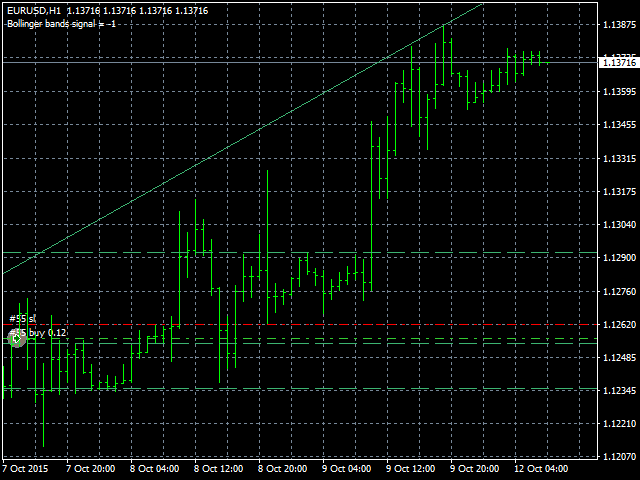
This Expert Advisor determines the trend and corrections. It also uses the Bollinger indicators to confirm trades. It can perform trades on three trend corrections (or not use the corrections). It can also display them on the chart (if the information display is enabled). The EA has a lot of options, it can transfer trades to breakeven, set stop loss right after a trade is opened.
Input parameters
- Lots - lot size (if Lots=0, then the lot will be calculated based on the percentage of account free margin);
- Percentage of free money - percentage of free margin to open each new trade (applicable when Lots=0);
- MaxSpread - the maximum allowable spread to open trades (for floating-spread symbols, to avoid opening with a large spread);
- Magic - unique identifier (use different magic numbers if multiple Expert Advisors run in your terminal);
- StopLoss - stop loss in points;
- TakeProfit - take profit in points;
- Stop to breakeven after - move stop loss to breakeven after a specified number of points;
- TrailingStopValue - trailing stop value in points (distance from the current price of the currency pair), if set to 0, trailing stop is not used;
- BollingerPeriod - Bollinger bands period;
- BollingerDeviations - Bollinger bands deviations;
- Bollinger2Enable - enable/disable the second Bollinger bands indicator;
- Bollinger2Period - second Bollinger bands indicator period;
- Bollinger2Deviations - second Bollinger bands indicator deviations (this parameter value should be less than the first indicator deviations and may even become negative);
- BreakevenAfterTouchCenter - enable/disable moving a trade to a breakeven when the price touches the central Bollinger band;
- CountBars - the number of bars used to search for trend and correction;
- BarsShift - maximum shift of bars used in search for the trend;
- MinPriceDistance - the minimum trend distance in the currency pair units to open a deal;
- CorrectionPercent - percentage of correction to trend;
- Correction2Percent - percentage of the second correction (if set to 0, it will not be displayed);
- Correction3Percent - percentage of the third correction;
- onlyTouchingLine - perform trades only after the price touches and rebounds from the correction lines;
- AdxPeriod - ADX indicator period;
- MinAdxLevel - ADX indicator minimum level;
- MaxAdxLevel - ADX indicator maximum level;
- Trading start hour - trading start hour;
- Trading end hour - trading end hour;
- ShowInfo - enable the display of information and correction lines.
- OrderComments - comment for an open order (displayed in the list of orders in the terminal).
- OpenOrderDirection - direction of deals to open (only Buy deals, only Sell deals, Buy and Sell).
The test results and settings are available in the Comments section.


联系方式
公司:顺水的鱼外汇EA
状态:离线 发送信件 在线交谈
姓名:顺水的鱼(先生)
职位:投机客
电话:18391752892
手机:18391752892
地区:默认地区
地址:西安市高新区软件园
邮件:3313198376@qq.com
QQ:3313198376
微信:18391752892
阿里旺旺:顺水的鱼waterfish
Skype:3313198376@qq.com
状态:离线 发送信件 在线交谈
姓名:顺水的鱼(先生)
职位:投机客
电话:18391752892
手机:18391752892
地区:默认地区
地址:西安市高新区软件园
邮件:3313198376@qq.com
QQ:3313198376
微信:18391752892
阿里旺旺:顺水的鱼waterfish
Skype:3313198376@qq.com