


ScalTradeAssist Pro
ScalTradeAssitPro was developed as a supporting tool for all manual forex traders.
It will work perfectly for situations like:
“Broker restricts to set StopLoss value to a very close point from the initial value of the opened position”.
These demands are basically for scalping traders and ScalTradeAssistPro is developed to be able to set the “virtual StopLoss / TakeProfit”. Both StopLoss and TakeProfit are calculated internally and when the positions reach the virtual StopLoss/TakePforit, ScalTradeAssitPro closes them as normal trading orders (that is why they are virtual values).
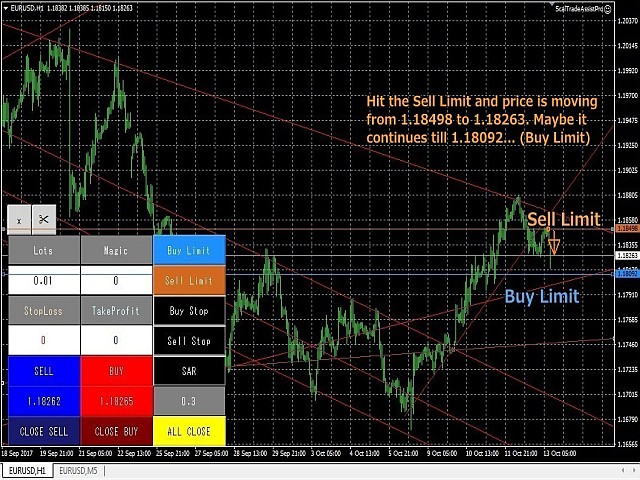
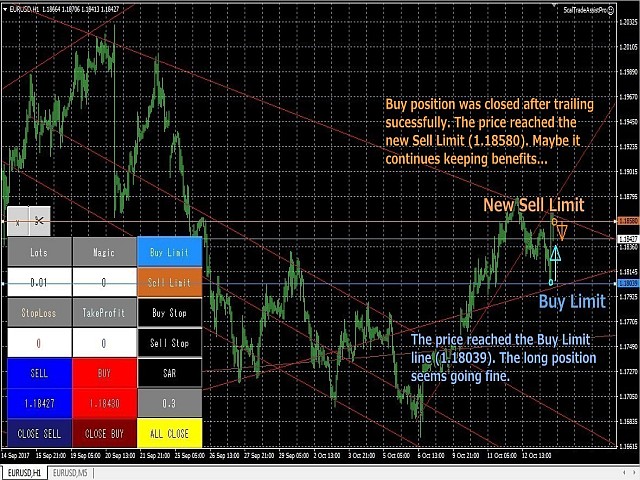
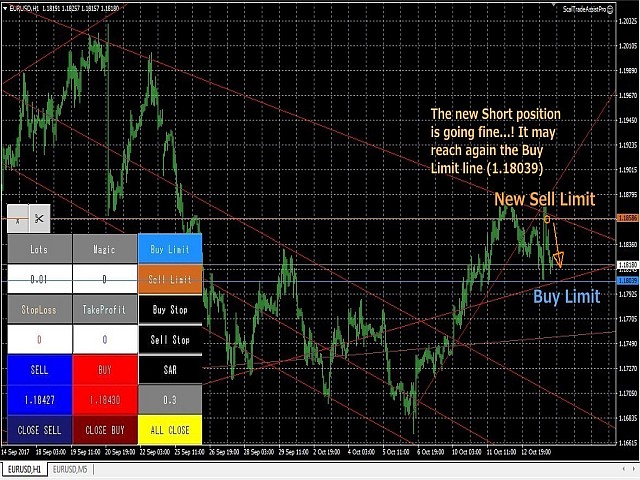
With the professional version, users can now use the “Trailing Stop”, “Break Even”, and also the capacity to send pending orders to the desired line in addition to other useful functions.
Major functions of ScalTradeAssistPro:
- Virtual StopLoss and TakeProfit (work as if normal trading orders)
- Automated trading lots size calculation
- Automated reverse entry
- Spread control function
- Slippage window
- Message window (not limited to error messages)
- One click order (normal orders)
- One click close order (manageable to select the targets)
- Function to order with unique Magic Number
- Function to manage buttons positions and colors by parameters
- Function to hide/unhide windows
- Visualization of the real time pips information
- Visualization of the total lots size and the average price
- Trailing Stop Function
- Break Even Function
- Line Trading Function
- Seconds Timeframe coordination (we include a gift indicator with ScalTradeAssist Pro)
- Function to manage positions opened by EAs and OneClickTrade
- Function to close positions separately
*(14) to (19) are the functions of Professional version.
For further functions, please refer the comments on the forum.
Parameters
- UseVirtualStop: enable virtual pending stop orders (True/False).
- VirtualStopRange(pips): range parameter of virtual pending stop orders after the order execution. In case of BUY, the robot will show it below the TakeProfit with the selected pips, and vice versa for SELL.
- UseVirtualLimit: enable virtual pending limit orders (True/False).
- VirtualLimitRange(pips): range parameter of virtual pending limit orders after the order execution. In case of BUY, the robot will show it above the TakeProfit with the selected pips, and vice versa for SELL.
- VirtualLineRedraw(pips): re-draw the line when there is a big gap between the parameter in pips from the price of pending orders. This is for the high volatility time after the big events, this way the robot will not execute orders.
- BuyLimitLineModeAdjustment(pips): adjust the BuyLimit in case of LineMode. If you input the positive numbers, the limit line will be placed beyond the line. Negative numbers will place before the line.
- BuyStopLineModeAdjustment(pips): for BuyStop in case of LineMode. The usage is same as BuyLimit.
- SellLimitLineModeAdjustment(pips): for SellLimit in case of LineMode. The usage is same as BuyLimit.
- SellStopLineModeAdjustment(pips): for SellLimit in case of LineMode. The usage is same as BuyLimit.
- UseCancelReverseTrade: cancel the unnecessary pending orders in case you define to use the limit/stop pending orders for both directions.
- UsePyramiding:automated virtual limit/stop orders (True/False).
- OpenMagicNumber: magic number for opening positions.
- MaxSpread: max spread to be allowed.
- UseAutoLots: automated lot size calculation (True/False).
- Lots: lot size if you select "False" for AutoLots.
- MaxLots: max lot size for the trading. The system will not send orders beyond this max lots size.
- Leverage: your leverage data when you have to select "True" for UseAutoLots.
- LotsDigits: define this parameter when you use AutoLots (no need to touch normally).
- UseVirtualStopLoss: virtual stop loss (True/False).
- StopLoss(pips): virtual stop loss.
- HardStopLoss(pips): countermeasure for brokers that prohibit to open positions without SL
- TakeProfit(pips): virtual take profit.
- HardTakeProfit(pips): countermeasure for brokers that prohibit to open positions without TP
- Slippage: max slippage to be allowed.
- SuccessSound: sound effect for opening/closing orders.
For more information about the parameters, please see the comments on the forum.
状态:离线 发送信件 在线交谈
姓名:顺水的鱼(先生)
职位:投机客
电话:18391752892
手机:18391752892
地区:默认地区
地址:西安市高新区软件园
邮件:3313198376@qq.com
QQ:3313198376
微信:18391752892
阿里旺旺:顺水的鱼waterfish
Skype:3313198376@qq.com