


MyInformer
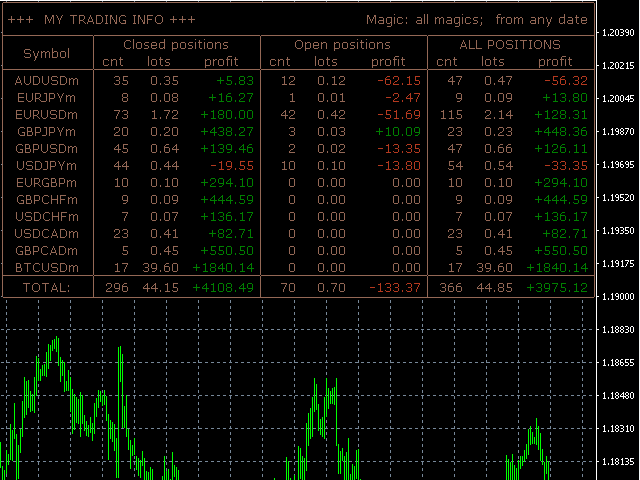
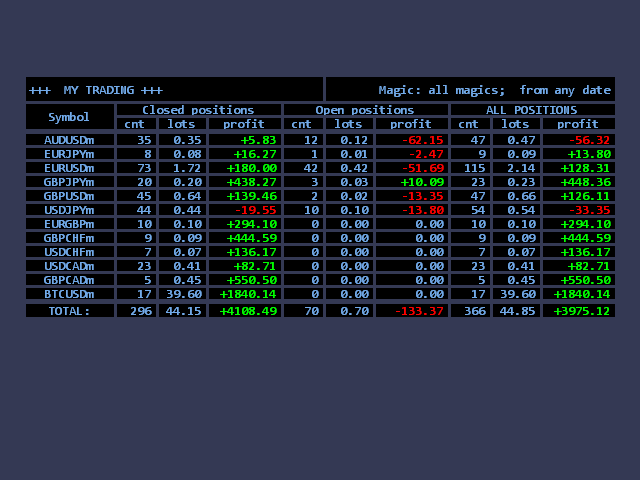
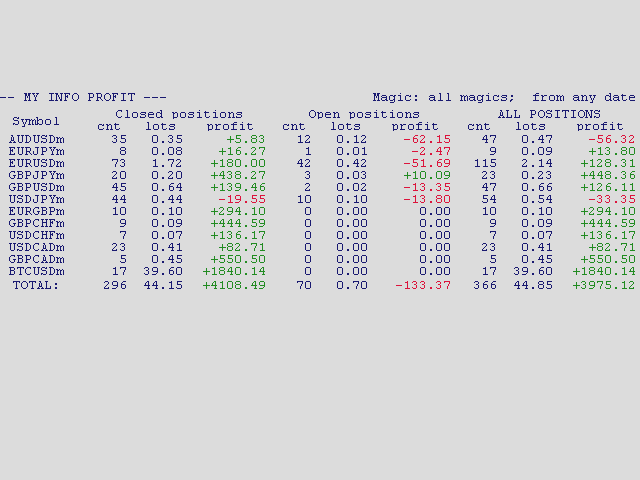
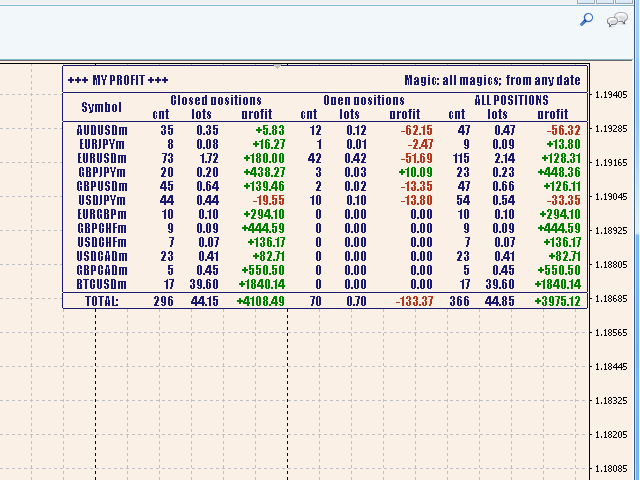
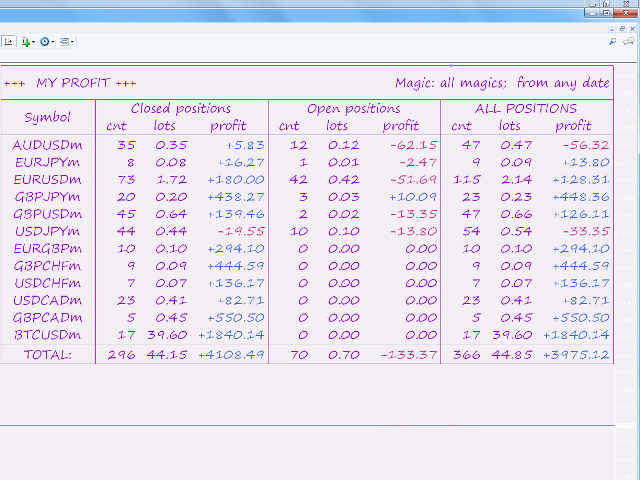
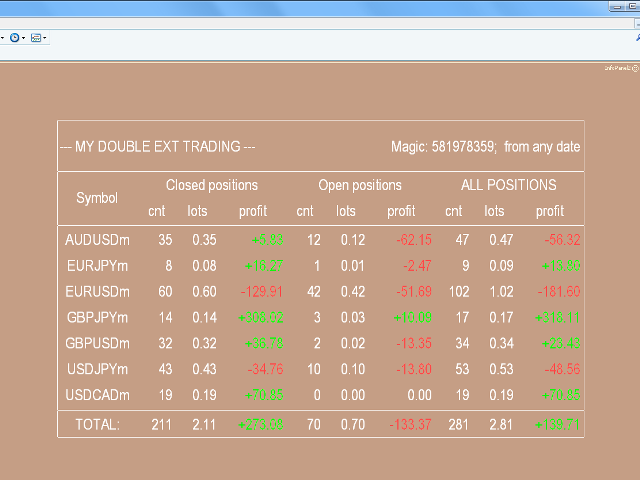
This information panel shows the trade statistics from a specific date in real time.
It allows selecting information on a specific robot, as well as manual trading, or displaying all information.
The information is grouped by symbols. This allows identifying which of the instruments had profit or loss, and their amounts.
Simple and convenient configuration: simply drag the utility to the chart in order to obtain all the available information on the history of the account and the opened positions.
It is possible to run a single or multiple instances of the informed both in a separate window and in the chart the robot is running on.
Supports 6 languages: English, Russian, German, French, Italian, Spanish.
Parameters
- InstanceNo – number of the informer instance (when attaching multiple instances on one chart, the numbers must be different, as well as their offsets to avoid overlaying).
- ForMagic – magic number of orders for selecting. Empty (default) – select all orders, 0 – select orders opened manually. If any other value is specified, select orders opened by robots with that magic number. If it is necessary to set multiple magic numbers, enter them as a comma-separated list. For example, this is necessary:
- if the EA opens short and long positions using different magic numbers or uses different magic numbers in any other way according to its algorithm.
- if you want to get results on multiple experts working in a certain combination.
- if you trade manually, but sometimes use utilities for placing orders (for example, with magic number 12345) and want to get information only on manual trading and these utilities. In this case, set "0,12345"
- ForComments – comment to orders for sampling. Empty by default - all orders are selected. A wildcard character "*" is allowed at the beginning and/or at the end of the fragment, as well as the "," character which serves as a separator between several variants. For example: "*bot 1*,*bot 2*" - selects orders containing "My robot 1.0" and "My robot 2.0". Please note that [sl] or [tp] are added to orders when they are closed by SL or TP. In this case, it is better to use "*" at the end.
- DateFrom – the date to start selecting orders (default is the minimum system date, i.e. all available in history).
Please note that the program has access only the orders displayed in the "Account History" tab. Any filter applied to the dispalyed orders affects the output data.

状态:离线 发送信件 在线交谈
姓名:顺水的鱼(先生)
职位:投机客
电话:18391752892
手机:18391752892
地区:默认地区
地址:西安市高新区软件园
邮件:3313198376@qq.com
QQ:3313198376
微信:18391752892
阿里旺旺:顺水的鱼waterfish
Skype:3313198376@qq.com